48 I
www.inavi.com
6
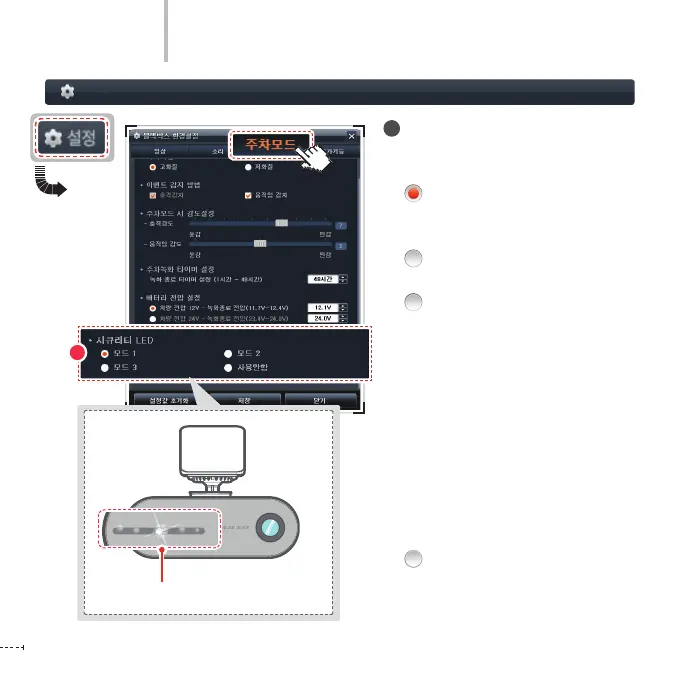
Black Box Setting > Parking Mode - 4
PC Viewer
6
Setting Security LED
You can set movement of the security
LED to three types:
Mode 1 (Left/Right scroll):
The LED moves left and right.
(default setting)
Mode 2 (Blinking): All LEDs blink at
the interval of 0.5 second.
Mode 3 (Auto):
The Security LED operates dierently
according to the recording mode in
use (Continuous/Event/Manual).
-
Continuous Recording: Left-right Fade
- Event Recording:
Center fade (Fade Out)
- Parking (motion) waiting: Left-right
Fade
- Parking (motion) recording:
Center fade (Fade In)
- Manual Recording: Center fade (Fade
Out)
Mode 4 (Not Used):
The Security LED is turned o.
Security LED



 To Next Page