36 I
www.inavi.com
PC Viewer
Executing a PC Viewer
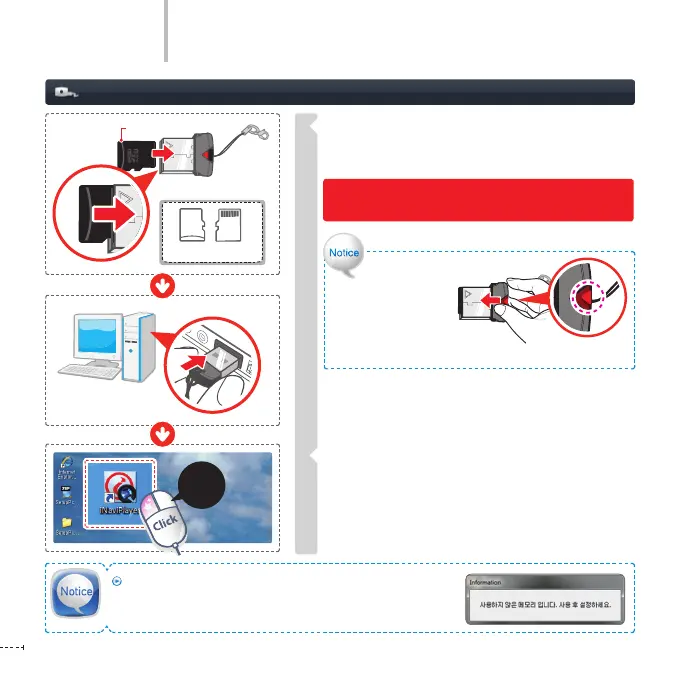
Insert the micro SD memory card into the micro SD
card reader by placing it in with the top of the card
upwards and connect to the PC.
Execute the iNaviPlayer icon on the Desktop to
execute the PC Viewer program.
The PC Viewer program screen appears.
1
2
Front
Front
Rear
Micro SD Memory Card
Double-
click
Removing Micro SD Card
Press the red button
of the micro SD card
reader in the direction
as shown in the gure.
The micro SD memory card is then removed.
The micro SD memory card reader is an additional product. You can buy it through the
iNAVI homepage.
If a micro SD card has been inserted in the product but has never
been used, the drive cannot be opened. In this case, insert the
micro SD card in the product and record at least one le.
Please make sure that you insert the micro SD card
reader to the reader in the correct direction.



 To Next Page