www.inavi.com
I 23
Chapter 02 I Basic
Instead of only recording accident videos, you can record what you want to keep such as beautiful scenery or
places as well as any scenes which must not be deleted.
Basic Operation
Manual Recording
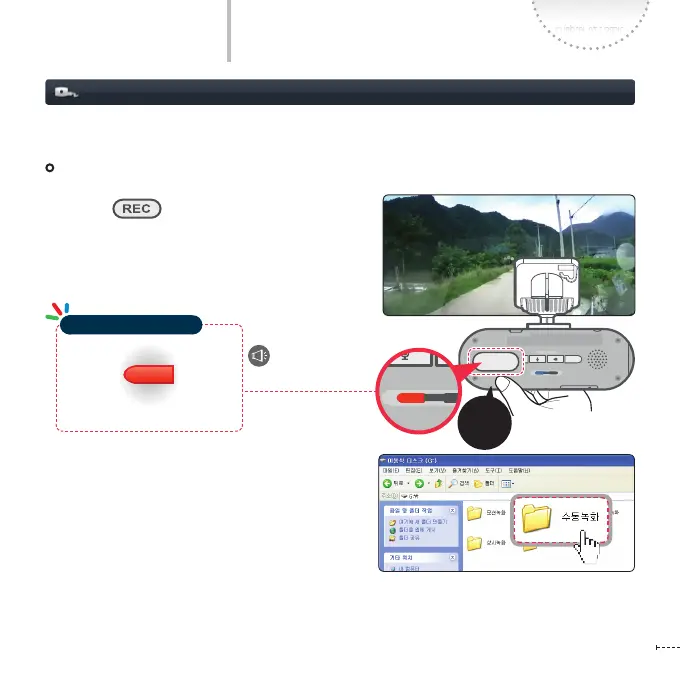
Manual Recording
In Continuous recording mode, the pressing of
the REC ( ) button shortly even when
no accident has occurred will save scenes for 20
seconds from 10 seconds before the button has
been pressed to 10 seconds after in the Manual
Recording folder.
Start the manual
recording
Lights on
REC
GPS
SD FORM AT
STATE
micro SD
REC
GPS
SD FORM AT
STATE
micro SD
REC
GPS
SD FORM AT
STATE
micro SD
REC
GPS
SD FORMAT
STATE
micro SD
REC
GPS
SD FORM AT
STATE
micro SD
REC
GPS
SD FORM AT
STATE
micro SD
REC
GPS
SD FORM AT
STATE
micro SD
Shortly
Operation Status LED



 To Next Page