24 I
www.inavi.com
Basic Operation
Setting Voice Functions
In no event shall this product be used dierently from its original purpose, nor arbitrarily changed.
In accordance with the ‘Privacy Protection Laws and relevant laws,’ if any others’ voice is recorded in
this product using the recording function, the user shall accept liability for its recording.
REC
GPS
SD FORM AT
STATE
micro SD
REC
GPS
SD FORM AT
STATE
micro SD
REC
GPS
SD FORM AT
STATE
micro SD
REC
GPS
SD FORM AT
STATE
micro SD
REC
GPS
SD FORM AT
STATE
micro SD
REC
GPS
SD FORM AT
STATE
micro SD
REC
GPS
SD FORMAT
STATE
micro SD
REC
GPS
SD FORMAT
STATE
micro SD
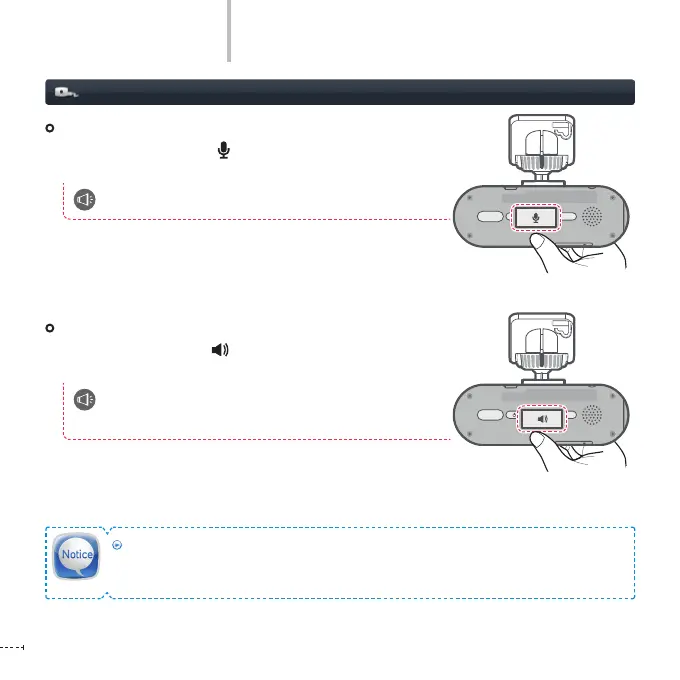
Voice Recording ON/OFF
Press the Voice Recording ( ) button to turn ON/OFF voice
recording with beep sound.
Starts/stops voice recording.
Voice guidance ON/OFF
Press the Voice Guidance ( ) button to turn ON/OFF voice
guidance with beep sound.
Beep – Setting values have been changed. /
Beep Beep – Setting values have been changed.



 To Next Page