www.inavi.com
I 59
Chapter 03 I Menu
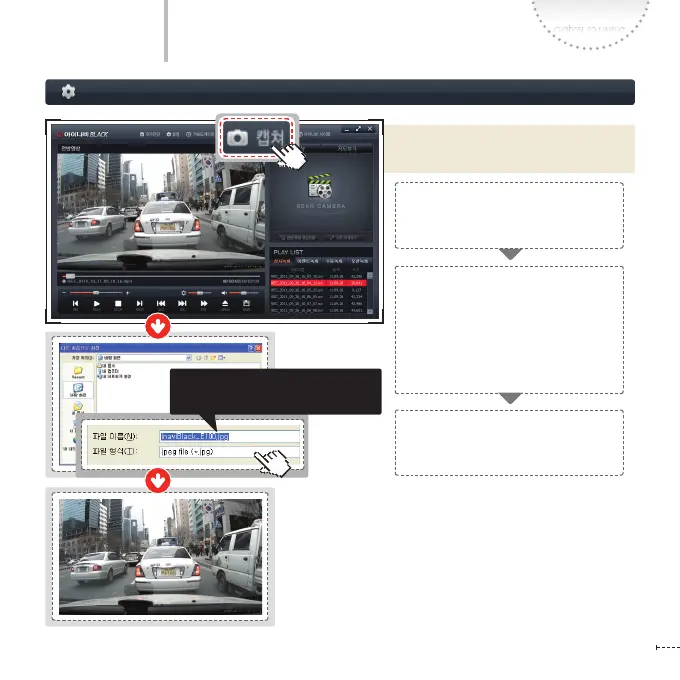
Screen Capture
PC Viewer
Capture the images of the recorded
video being playing now.
Click the Capture icon on the top of
the PC Viewer to capture the screen
currently being played.
When the video screen is captured,
a Windows Explorer screen appears
to search the folder where the
captured image will be saved as
JPEG image le, allowing for
entering the le name.
On the explorer, type the le name
and folder name and click the Save
button to complete screen capture.
The captured screen is saved as a
JPEG image le.



 To Next Page