42 I
www.inavi.com
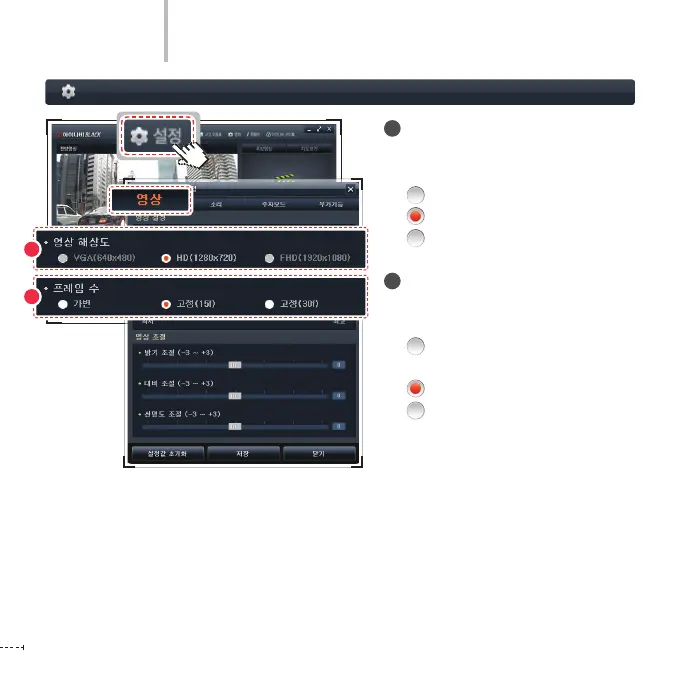
Black Box Setting > Video - 1
PC Viewer
1
Quality
The resolution of iNAVI BLACK Clair2 is
set to the following by default.
VGA(640X480) (not available)
HD(1280X720) (default value)
FHD(1920X1080) (not available)
2
Frames
You can set the recording frame of the
black box to three levels:
Variable: Min. 15 fps ~
Max. 30 fps
Fixed (15f): 15 fps (default value)
Fixed (30f): 30 fps
1
2



 To Next Page