22 I
www.inavi.com
Basic Operation
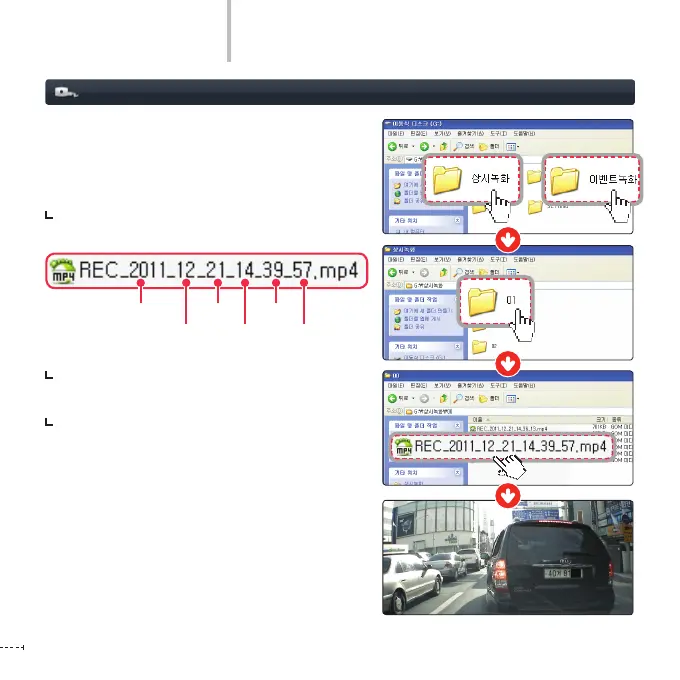
Recording le
The recording folder created in the Micro SD card
is based on date/time in the order of time. In the
created folder, les in the unit of date/time are
created.
The recording le is created based on the
recording start time.
Up to 100 recording les can be created in one
date/time-based folder.
If the le size exceeds the micro SD card capacity,
the oldest le or folder is deleted sequentially
and creates new date/time folder and recording
le.
Year
Month
Date
Hour
Minute
Second



 To Next Page