www.inavi.com
I 19
Chapter 02 I Basic
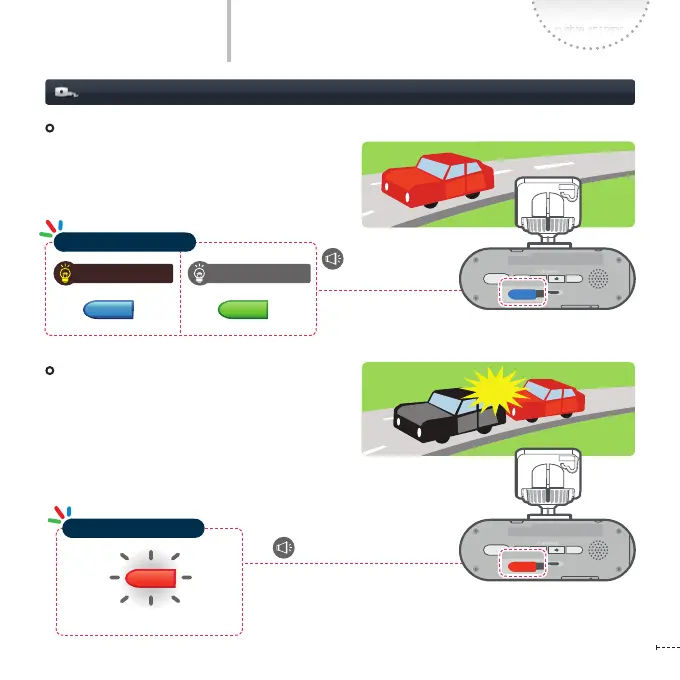
Event Recording
When the impact of which strength exceeds the
user-specied strength, the black box records
scenes for 20 seconds; from 10 seconds before the
event (impact) has occurred to 10 seconds after
that and automatically saves the video in the Event
Recording folder.
Basic Operation
Recording while Driving
Continuous Recording
All videos are recorded in interval of one-minute
and saved in Continuous recording folder.
Blinking
REC
GPS
SD FORM AT
STATE
micro SD
REC
GPS
SD FORM AT
STATE
micro SD
REC
GPS
SD FORM AT
STATE
micro SD
REC
GPS
SD FORM AT
STATE
micro SD
REC
GPS
SD FORM AT
STATE
micro SD
REC
GPS
SD FORM AT
STATE
micro SD
(Ring) the buzzer sounds
Voice Recording ON Voice Recording OFF
REC
GPS
SD FORM AT
STATE
micro SD
REC
GPS
SD FORM AT
STATE
micro SD
REC
GPS
SD FORM AT
STATE
micro SD
Starts the continuous
recording
REC
GPS
SD FORM AT
STATE
micro SD
REC
GPS
SD FORM AT
STATE
micro SD
REC
GPS
SD FORM AT
STATE
micro SD
Operation Status LED
Operation Status LED



 To Next Page