www.inavi.com
I 33
Chapter 03 I Menu
PC Viewer
You can view the video le recorded by the black box through the PC Viewer.
To play the saved video le on the PC, you must download the program from the THINKWARE home page.
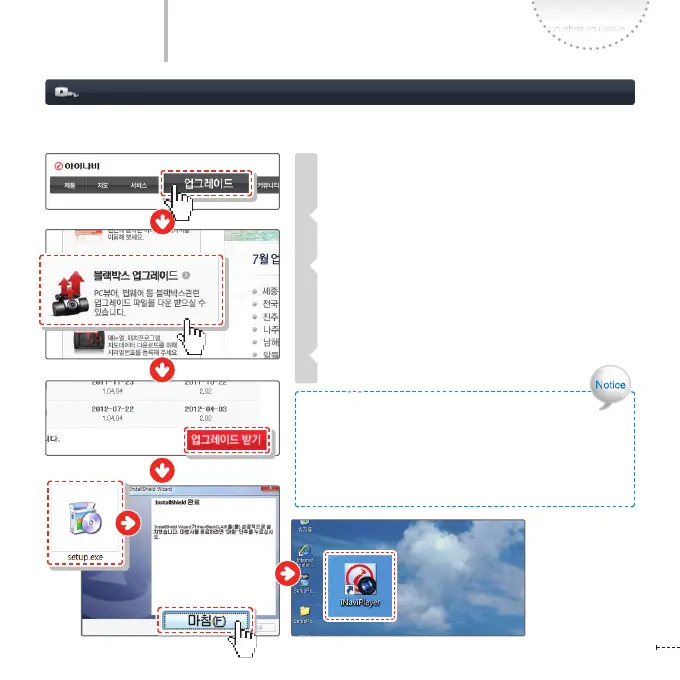
Installing a Program
www.inavi.com > Upgrade > Black Box Upgrade
and then download the setup le.
Double-click the downloaded le on the Windows
Explorer.
First, the dshow codec is installed and then the
integrated PC Viewer program is installed.
- After completing installation, click the Complete
button to exit the installation window.
Check whether the iNaviPlayer shortcut has been
installed on the Desktop or not.
1
2
3
4
Recommended Specications for PC Viewer
Operating System (OS): Windows XP(32bit), Windows
Vista(32bit), Window7(32/64bit)
Pentium 4 / 2.8Ghz or higher / RAM 1G or higher
Disk Space: HDD 4GB / DirectX 9.0 or later
Microsoft Internet Explorer 7.0 or later



 To Next Page