www.inavi.com
I 45
Chapter 03 I Menu
Black Box Setting > Parking Mode - 1
PC Viewer
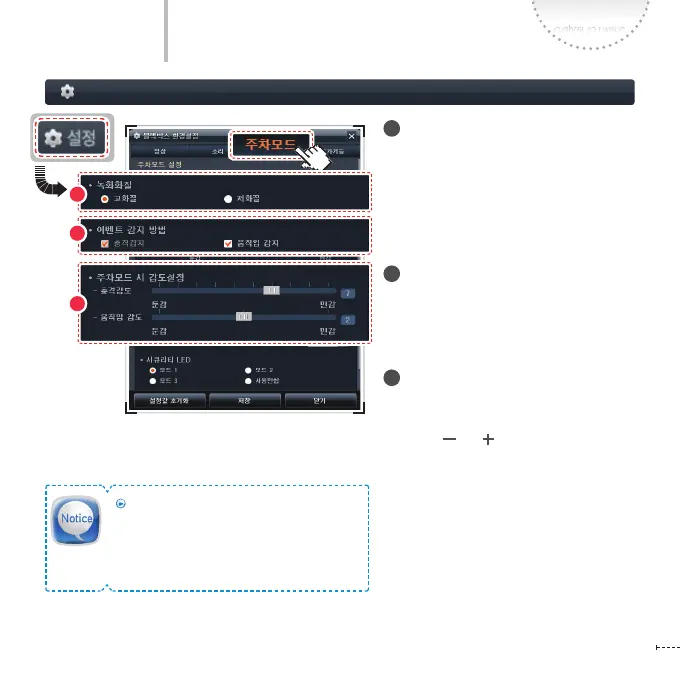
1
Recording Quality
Sets the recording quality of a video for the
Parking recording.
- Recording time and the number of
events saved diers according to the
memory partition setting.
2
How to Detect Events
Sets the method of Event/Motion detec-
tion recording to be saved in the Event
Folder during the parking recording.
3
Sensitivity Setting for Parking
Mode
Adjusts the sensitivity of event/motion.
(Low ( ) ( ) High)
Event Sensitivity: Up to 10 levels of
event sensitivity can be set. (Default 7
levels)
Motion Sensitivity: Up to 3 levels of
motion sensitivity can be set.
1
3
2
Tips for Sensitivity Setting
For the high-class sedan of which vibration
level is low, set the level high. For trucks and
RVs of which vibration level is high, set the
level low.



 To Next Page