46 I
www.inavi.com
Black Box Setting > Parking Mode - 2
PC Viewer
4
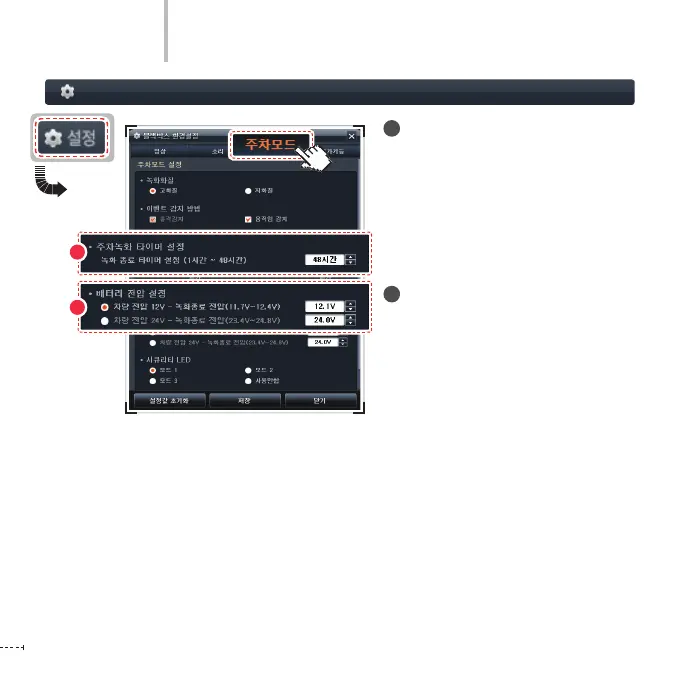
Timer Setting for Parking Recording
When the parking recording is made
using the continuous power of the
vehicle, the parking recording is ended
after the specied time is expired in
order to prevent battery discharge.
- Range: 1 hour ~ 48 hours (8 levels)
5
Battery Voltage Setting
When the parking recording is made
using the continuous power of the
vehicle, the black box power is blocked
if the voltage is lower than the speci-
ed voltage in order to prevent battery
discharge.
Vehicle voltage 12V
- Range of voltage for ending the
recording:
11.7V ~ 12.4V (changed by 0.1V unit)
Vehicle voltage 24V
- Range of voltage for ending the
recording:
23.4V ~ 24.8V (changed by 0.2V unit)
4
5



 To Next Page