16 I
www.inavi.com
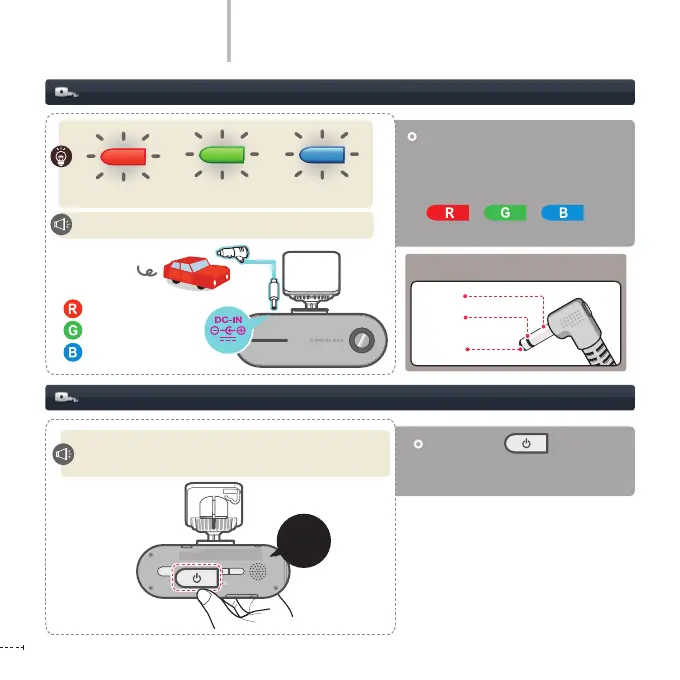
Press Power ( ) button for
more than 3 seconds to turn the
power ON/OFF.
Connecting the Power
Basic Operation
Install the product and then turn
ON the power of the product or
start up the product. The operation
status LEDs blink in three colors
( / / / ) with
voice guidance.
Car power cable
(cigar jack cable)
Power ON/OFF
POWER ON : Please have a safe and enjoyable drive today!
POWER OFF: Shut down the system.
: Red
: Green
: Blue
Please have a safe and enjoyable drive today.
REC
GPS
SD FORMAT
STATE
micro SD
Long
(more than
3 seconds)
REC
GPS
SD FORMAT
STATE
micro SD
+
+
Three colors blinking
ACC
B+
GND
Power 3-pole jack polarity



 To Next Page