60 I
www.inavi.com
Version Info and Firmware Download
PC Viewer
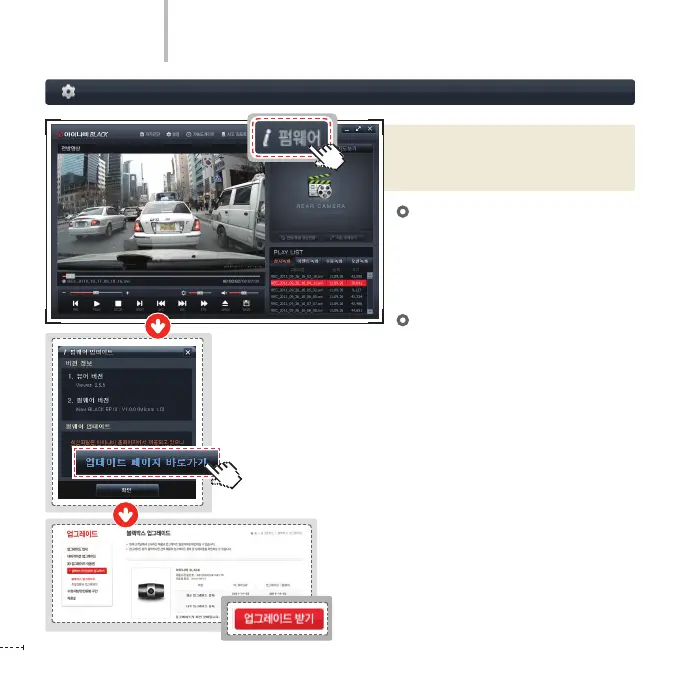
Click the Firmware button on the top of
the PC Viewer and an Update Firmware
Information window appears.
Viewer Version
On the Version Info on the Update
Firmware window, you can view the
version information on the PC Viewer
and rmware being used.
Firmware Update
①
Click the Go to Update Page button to
move to the upgrade page. (login is
required)
②
Select the latest rmware on the page
and click the Firmware Download
button.
③
Move the ve les downloaded in the PC
to the top folder of the micro SD card of
the black box.
④
Insert the micro SD card where the
rmware is saved into the product
and turn on the power. Then upgrade
automatically starts.



 To Next Page