www.inavi.com
I 25
Chapter 02 I Basic
Start/stop Security
LED.
Basic Operation
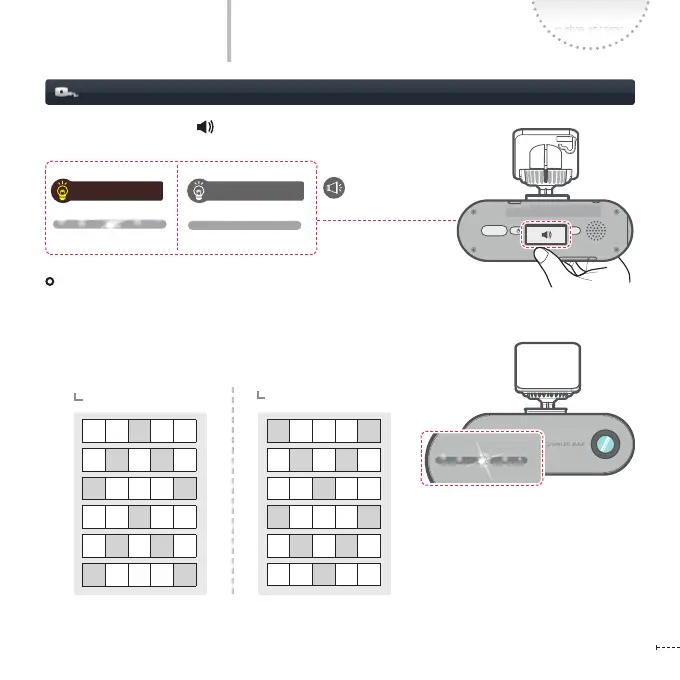
Setting Security LED
Press the Voice guidance ( ) button for a few seconds to turn ON/OFF
the Security LED.
Setting the Mode
In Parking Mode, you can set Security LED ON/OFF mode on the PC Viewer.
Security LED ON Security LED OFF
- Mode 1: Left. Right scroll
- Mode 2: Blinking (0.5 second interval)
- Mode 3
Event detection recording
Motion detection recording
- Mode 4: Turn o (Not used)
REC
GPS
SD FORM AT
STATE
micro SD
REC
GPS
SD FORM AT
STATE
micro SD
REC
GPS
SD FORM AT
STATE
micro SD
REC
GPS
SD FORMAT
STATE
micro SD



 To Next Page