www.inavi.com
I 17
Chapter 02 I Basic
Basic Operation
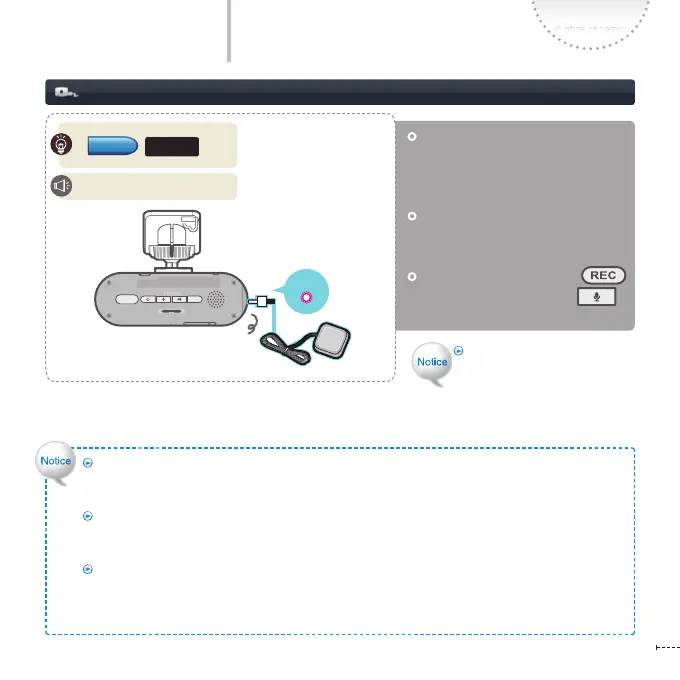
Connecting the External GPS Antenna (Optional)
Make sure that you turn o the
power before connecting the
external GPS terminal for receiving
GPS info.
Connect the external GPS terminal
and turn on the power. The GPS
operates with voice guidance.
Simultaneously press both of
button and Voice Recording
button to reset GPS
reception.
REC
GPS
SD FORMAT
STATE
micro SD
GPS
Do not use the external GPS
antenna provided by the third
party. Otherwise, the external
GPS terminal may be damaged
or GPS reception may not work
normally.
Connecting the external GPS antenna
GPS is aected by weather condition, satellite condition and geographical features.
The reception condition may be bad due to weather condition, satellite condition and geographical
features.
If the front window is tinted or coated with metal components, GPS may not be able to receive
signal properly.
Carefully install GPS in consideration of conditions above.
If a device, which emits electromagnetic waves causing GPS signal interference, GPS may not be able
to receive signal properly.
If other GPS device is used together in the car, the signal to GPS may be interrupted and cause reception
problem.
The GPS has been connected.
GPS LED



 To Next Page