www.inavi.com
I 37
Chapter 03 I Menu
Double-
click
or
3
4
PC Viewer
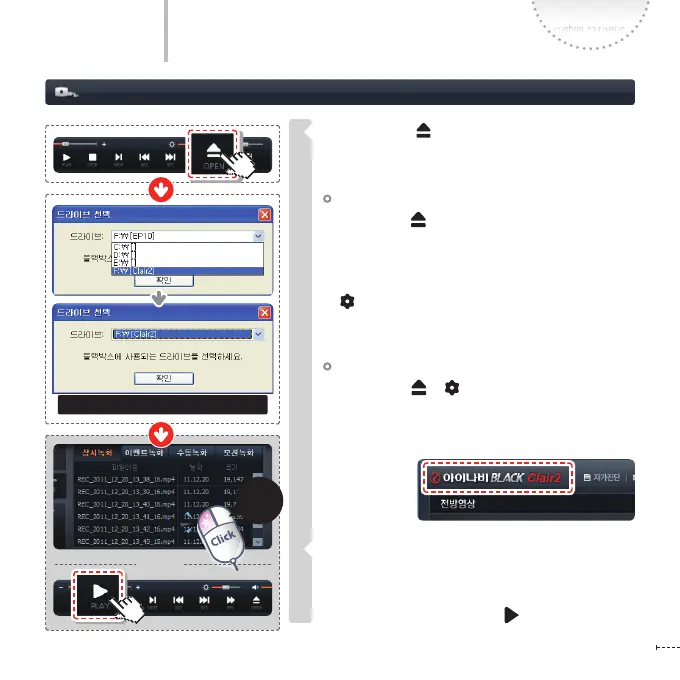
Executing a PC Viewer
Open a Drive ( )
Select the removable storage device of the micro SD
card connected to the PC and select OK.
Setup le in Micro SD memory card
Click Open ( ) :
When the model (number) appears on the screen
after reading Setup le, select the setting (congu-
ration) correspond to that model (number)
Click Setting icon :
The setting (conguration) screen correspond to
the model (number) appears.
No Setup le in Micro SD memory card
Click Open ( ) / Setting icon :
When the window in which you can input the model
(number) on the screen and the model number ap-
pears on PC Viewer, select the setting (conguration)
correspond to
that model.
The recording folders and les saved in the selected drive
are listed up in the File List.
In the File List, select a desired le, and then double-click
it on the list or click the Play icon to play the le.
Setup le in Micro SD memory card



 To Next Page