50 I
www.inavi.com
3
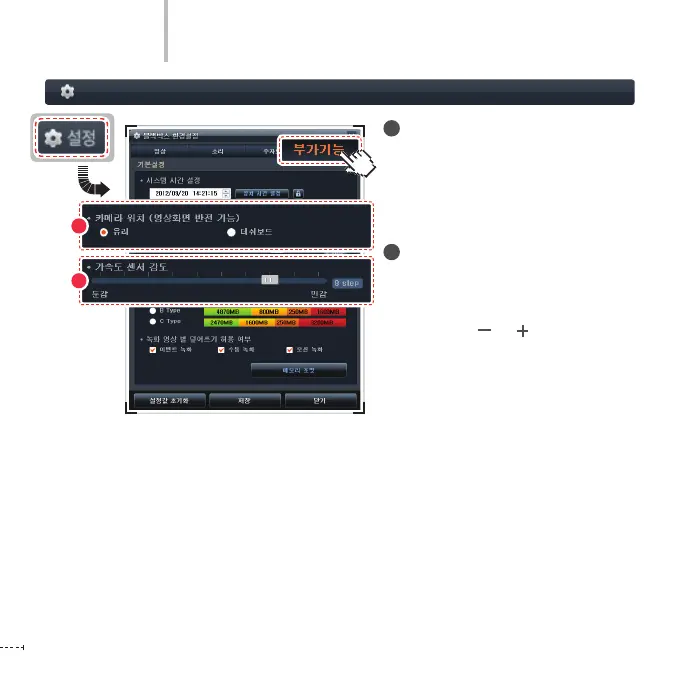
Black Box Setting > Additional Functions - 2
PC Viewer
2
Camera location (position)
(reversal display)
Install the black box on the glass or on
the dashboard to prevent the display
being upside down.
3
Acceleration Sensor Sensitivity
Adjust the sensitivity of the acceleration
sensor of the black box on a scale of 0 to
10.
(Insensitive ( ) ( ) Sensitive)
2



 To Next Page