www.inavi.com
I 51
Chapter 03 I Menu
Black Box Setting > Additional Functions - 3
PC Viewer
4
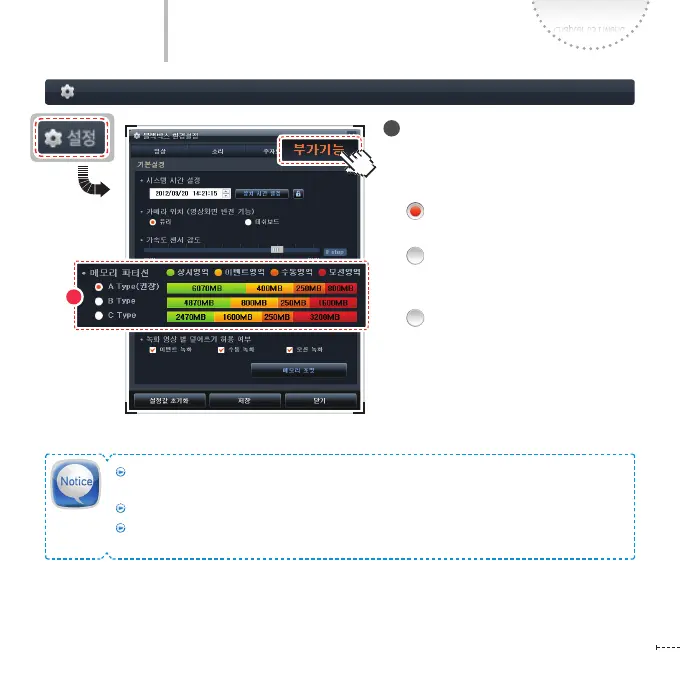
Memory partition
In Conguration, you can set the capacity
ratio of Continuous/Event/Manual/Mo-
tion recording by each memory (A/B/C).
A Type (Recommended):
Continuous Recording-centered
B Type: Event/Manual Recording-
centered (using double capacity of
A type)
C Type: Event/Manual Recording-
centered (using 4 times of capacity
of A type)
The Continuous recording les will occupy the entire capacity of the memory excluding the
minimum recording memory size when there is no Event/Motion/Manual recording le.
The size of a recording le may be dierent by 30 ~ 40MB from the others.
When the memory partition setting is changed, the “Format the Memory” window appears.
The changes will be applied after formatting the memory.
4



 To Next Page