30 I
www.inavi.com
Basic Operation
Operation Status LED and Voice (BEEP) Operation Mode
When the space for Continuous Recording is insucient, the oldest video les are automatically
deleted with new les then being saved. However, in this case, any video les saved in the Event
Folder will not be deleted.
While there are only the video les in Event Folder and the space is insucient, the oldest Event
video les will be automatically deleted. Therefore, please save important video les to the SD
card of the Navigation device, the hard disk of a PC, or any other storage-devices for safe backup.
(However, if overwrite by recording video is disabled, newly created event videos will not be
stored in the case of insucient space in event folder)
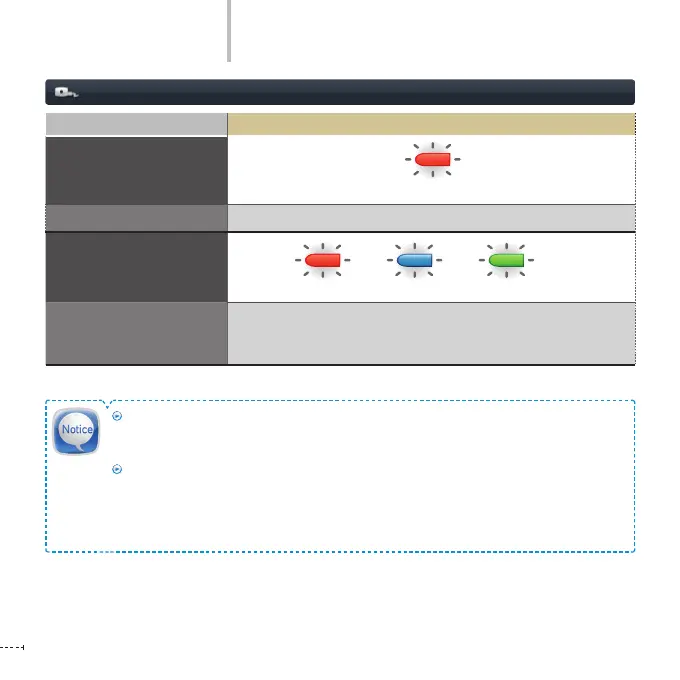
Operation Mode LED
Firmware Upgrade
Blinking in Red
Voice Guidance
Start upgrade.
Abnormal operation
(malfunction, bad recording)
Blinking in Red / Blue / Green
Voice Guidance
Supports voice guidance according to the situation.
Ex: Insufficient space in the Event Recording Folder.
(Video recording is unavailable sue to lack of memory space)
+ +



 To Next Page