EasyManua.ls Logo

Toa RM-200M - Page 50

Toa RM-200M
105 pages
Print Icon
To Next Page IconTo Next Page
To Previous Page IconTo Previous Page
Loading...
50
31
:
IP ADDRESS
192 . 168 . 014 . 001
31
:
IP ADDRESS
192 . 168 . 014 . 001
31
:
IP ADDRESS
192 . 168 . 014 . 002
31
:
IP ADDRESS
192 . 168 . 014 . 002
31
:
IP ADDRESS
192 . 168 . 014 . 001
3
:
NET
W
O
RK
SETT I N
G
32
:
SUBNET
M
ASK
255.255.255.000
32
:
SUBNET
M
ASK
255 . 255 . 255 . 000
32
:
SUBNET
M
ASK
255.255.255.000
32
:
SUBNET
M
ASK
255.255.000.000
32
:
SUBNET
M
ASK
255.255.000.000
OK
MENU
OK
OK
CANCEL
OK
OK
CANCEL
–+
or
–+
or
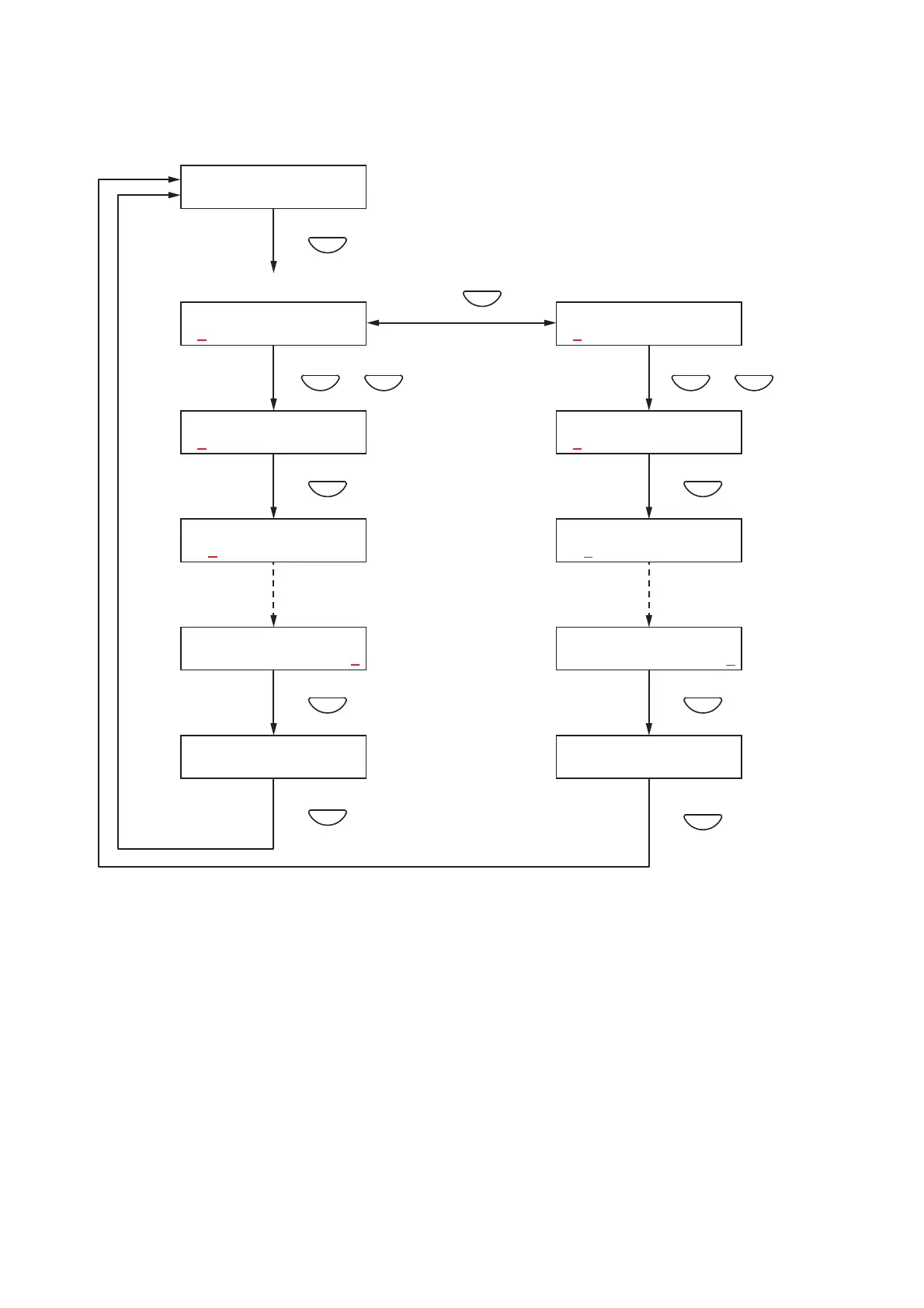
Network settings
IP address settings
1, 7
3
5
6
4
2
Subnet mask settings
10
12
13
11
9
8
[Network settings]
Set the IP address and subnet mask.
<IP address settings>
Step 1. Press the OK key on the Network Settings screen.
The IP Address settings screen is displayed.
Note
Pressing the Cancel key returns the display to the original screen.
Step 2. Enter an IP address using the [+] and [–] keys.
The number increases with the [+] key and decreases with the [–] key.
The underline (_) shown at the leftmost digit indicates the entry point.
Step 3. Press the OK key. The underline moves to the next (right side) digit.
Note
Pressing the Cancel key returns the display to the previous screen.
Step 4. Repeat Steps 2 and 3 to complete the IP address.


Table of Contents

Other manuals for Toa RM-200M

Related product manuals