[Log transmission]
Transmit logs from the VM-3240VA to a PC.
Step 1. Press the OK key on the Log Transmission screen.
The indication "TRANSMITTING" is displayed on the screen.
Note
Pressing the Cancel key returns the display to the original screen.
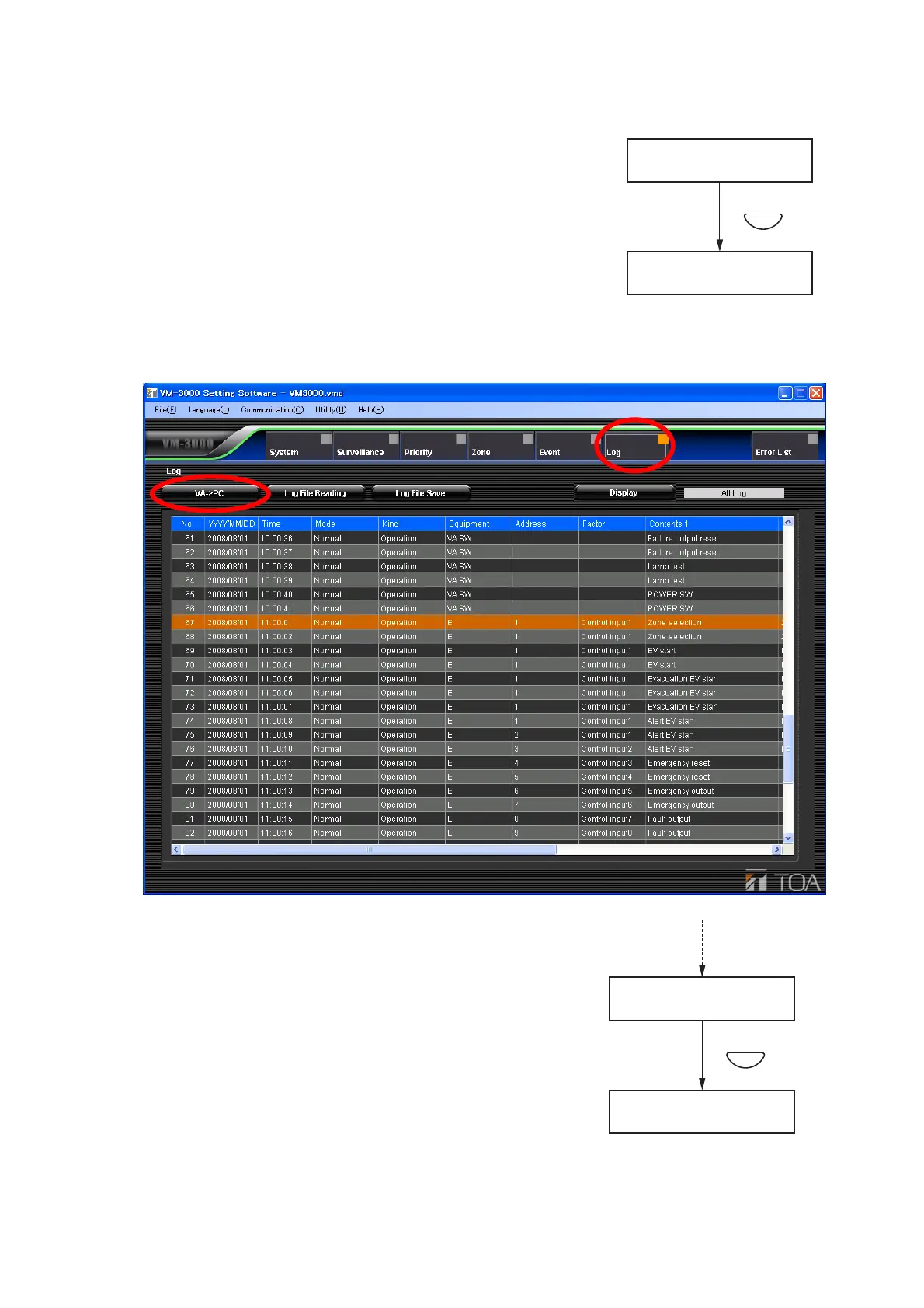
Step 2. Activate the setting software and click the [Log] menu item.
The following log display screen is displayed.
Pressing the [VA
---> PC] button starts the transmission of log
data from the VM-3240VA to the PC.
The indication "TRANSMITTING COMPLETE" is displayed on
the screen of the VM-3240VA after the transmission is
completed.
Step 3. Press the OK key.
The display reverts to the setting screen.
Note
If the PC is not correctly connected, the display will not change from the "TRANSMITTING" screen. In such
cases, press the Cancel key to return to the log transmission screen, correctly reconnect the PC, and then
press the OK key again.



 To Next Page