3-4
3.2.2 Selecting of the measurement mode and setting of the measuring conditions
<Selecting of the measurement mode>
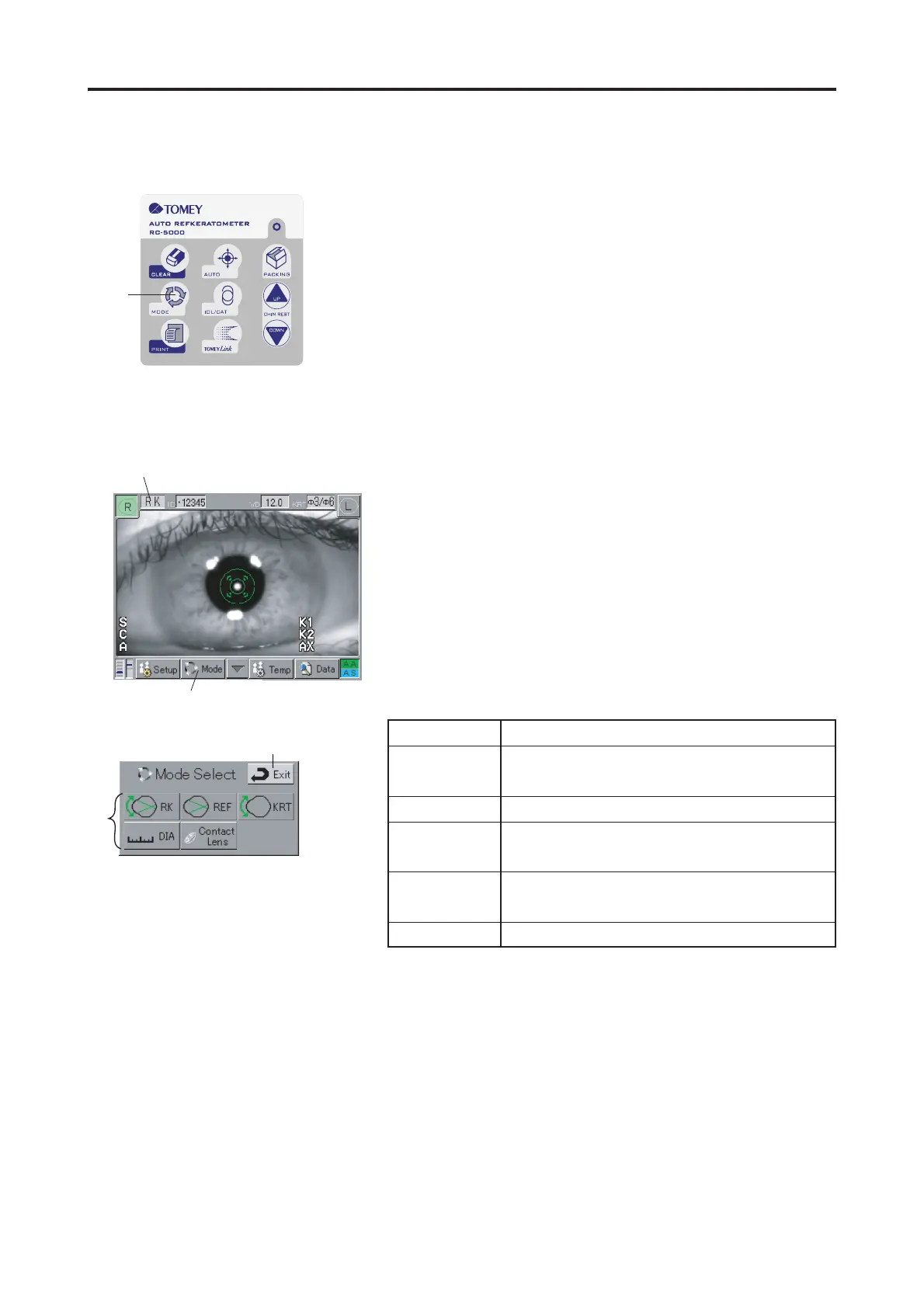
Press the Mode Button $ of the Operation Buttons (Fig.
1), so the mode will change in order of " RK KRT REF
RK ".
The selected mode will be displayed in the mode display % of
the Measurement Screen (Fig. 2).
The Measurement mode can also be selected with the Mode
Button & in the Touch Panel. Pressing the Mode Button &
displays the Mode Select Screen (Fig. 3). Set the mode with
the respective Setting Button '. The DIA mode and the Con-
tact Lens mode can be set with the Mode Select Screen (Fig.
3) only.
Pressing of the Exit button ( returns the screen to the initial
screen, even without giving any further operation.
<Setting of measuring conditions>
Set the measuring conditions. (See "3.8 SETUP OF MEA-
SUREMENT CONDITIONS".)
Ԙ
(Fig. 1)
ԙ
(Fig. 2)
Ԝ
ԛ
(Fig. 3)
3.2 PREPARATION FOR MEASUREMENT
Display Measurement mode
RK Refractive power and corneal curvature
measurement mode
REF Refractive power measurement mode
KRT Corneal radius of curvature measurement
mode
DIA Corneal diameter and pupil diameter mea-
surement mode
Contact Lens Contact lens measurement mode


 To Next Page
 Loading...