1-3
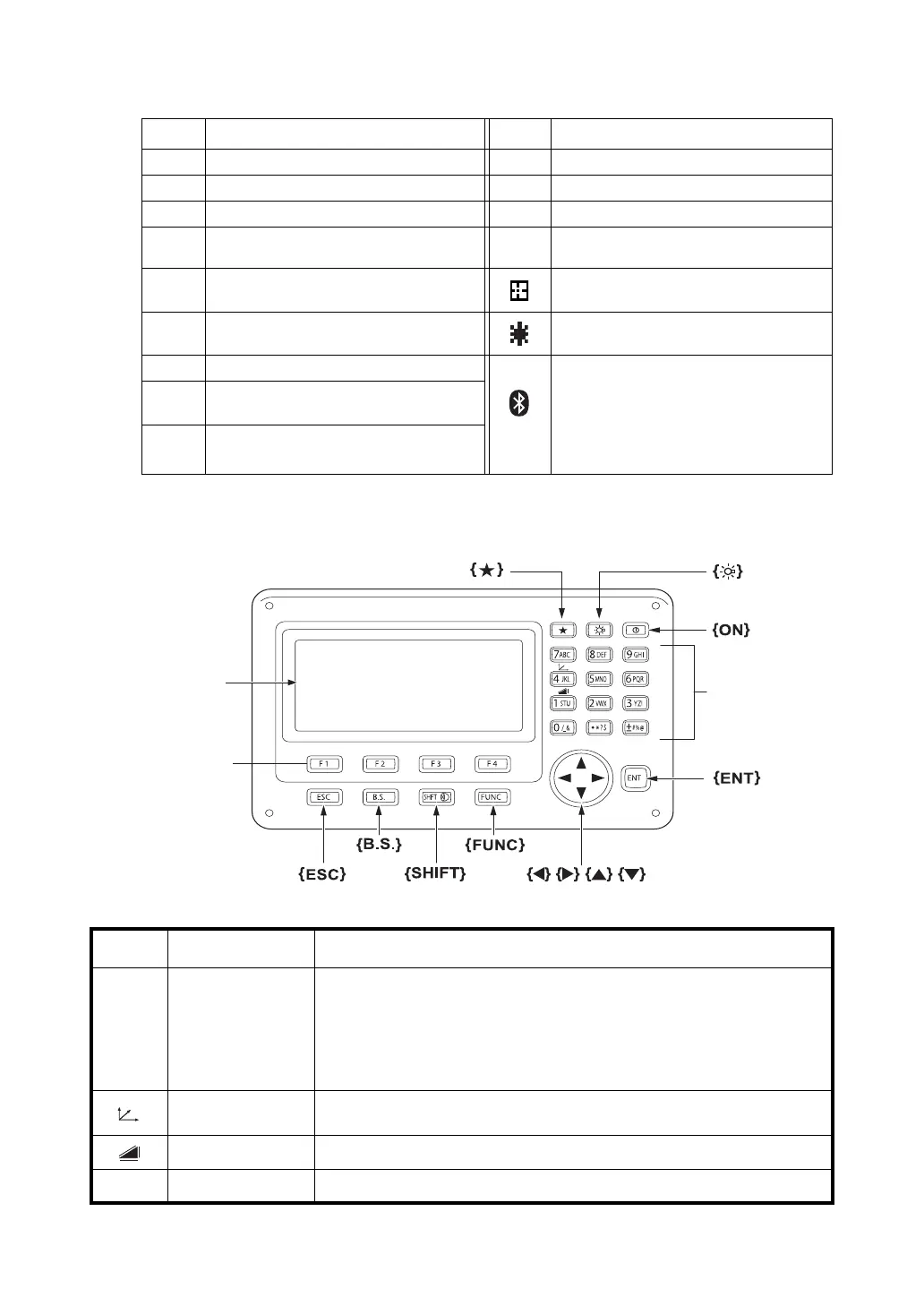
1 NOMENCLATURE AND FUNCTIONS
Display marks
1.3 Operating Key
Display Contents Display Contents
VV-angle
∗
EDM working
HR H-angle right m Meter unit
HL H-angle left f Feet unit / Feet and inch unit
HD Horizontal distance
N
P
non-prism mode
VD Relative elevation Sheet mode
SD Slope distance Laser emitting mark
N N coordinate
Bluetooth is under communication.
(This symbol mark of the Bluetooth will
be displayed above the battery mark
when the pulse total station is in the
state which can be communicated by
Bluetooth.)
E E coordinate
Z Z coordinate
Keys Name of Key Function
{} Star key
Switches to Star key mode
This mode is used for each presetting or displaying as follows.
1 Contrast of the display, 2 Reticle illumination, 3 Laser pointer, 4 Tilt
correction, 5 Set audio mode, 6 Laser Plummet
• Press {} during Star key mode to go to the Tilt Screen.
For levelling procedure: see Section 2.5.2 “Levelling”.
{}
Coordinate
meas.key
Switches to coordinate measurement mode
{}
Distance meas.key Switches to distance measurement mode
{ANG} Angle meas.key Switches to angle measurement mode
MENU
ANG
Softkey selection
Display unit
Star key
Power key
Illumination key
Alphanumeric
characters key



 To Next Page