1-6
1 NOMENCLATURE AND FUNCTIONS
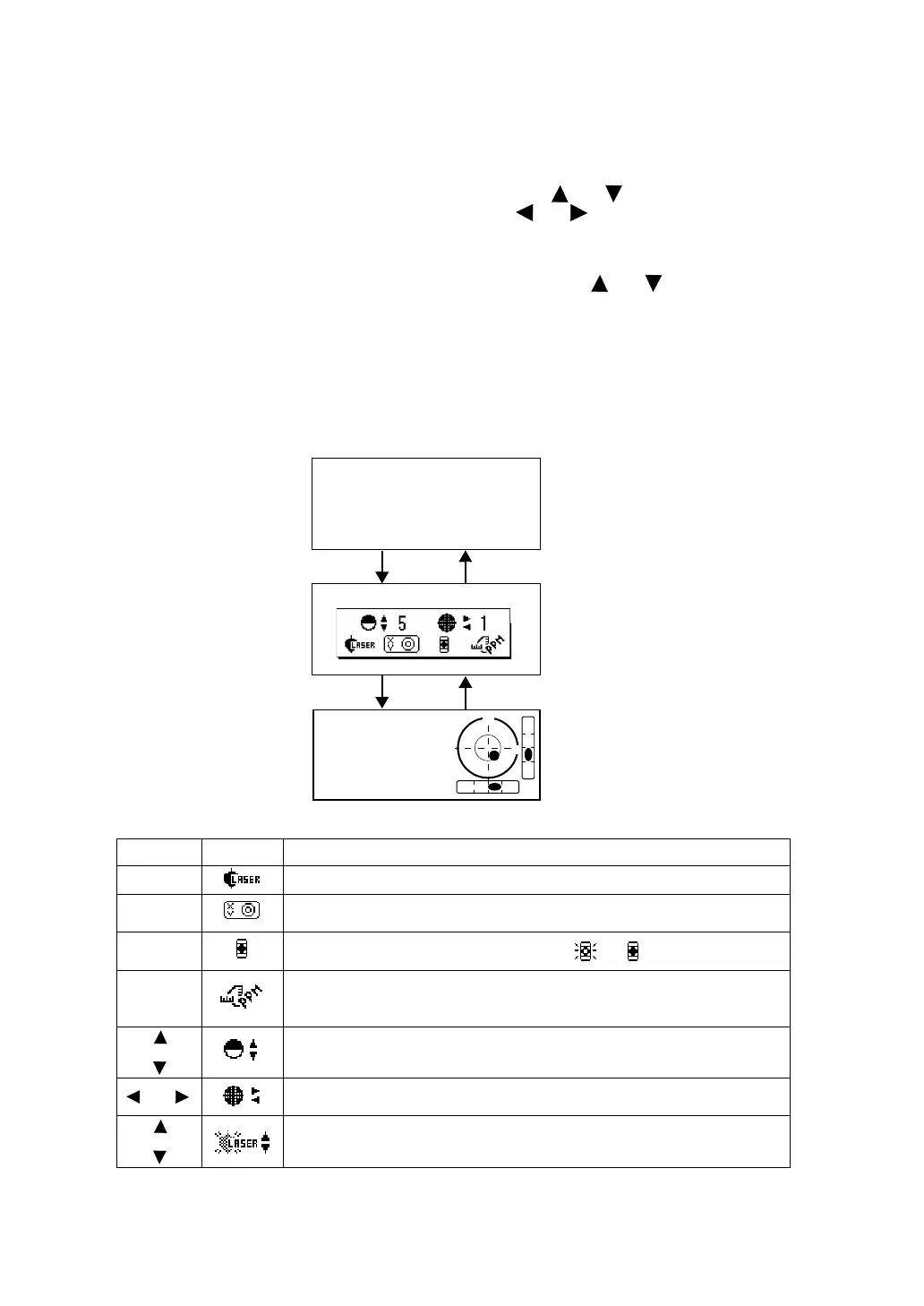
1.5 Star key mode
Press the {} key to view the instrument options.
The following instrument options can be selected from the {}:
1. Adjustment the contrast of the display (0 to 15 steps) {} or {}
2. Adjustment the reticle illumination (1 to 5 steps) {} or {}
3. Turn the Laser pointer option ON/OFF
4. Setting Tilt Correction
5. S/A (set audio) mode
6. Adjustment the contrast of the laser plummet (1 to 5 steps) {} or {}
7. Turn the Laser plummet option ON/OFF
• Star key mode does not function when the same function as the function assigned to the star key
mode is performed from the main routine.
• Press {} during Star key mode to go to the Tilt Screen.
For levelling procedure: see Section 2.5.2 “Levelling”.
key
Display mark
Function
{F1} Turn the Laser plummet option ON/OFF
{F2}
Setting Tilt Correction
If ON, the display shows tilt correction value.
{F3}
Turn the Laser pointer option ON / OFF [ / ]
{F4}
The light acceptance quantity level for the EDM (SIGNAL), the
atmospheric correction value (PPM) and correction value of prism
constant (PSM / NPM / SHT) are displayed.*1)
or
Adjust the contrast of the display (0 to 15 steps)
Adjust the Reticle Illumination (1 to 5 steps)
ON/OFF of the reticle illumination is linked with ON/OFF of the backlight.
or
Adjust the laser plummet brightness (1 to 5 steps)
(displayed only when the laser plummet is ON)
V: 77°42'30"
HR: 120°30'40"
0SET HOLD HSET P1
↓
Press the {} key.
V: 77°42'30"
HR: 120°30'40"
0SET HOLD HSET P1
↓
Press the {} key.
Press the {ESC} key.
Press the {ESC} key.



 To Next Page