vi
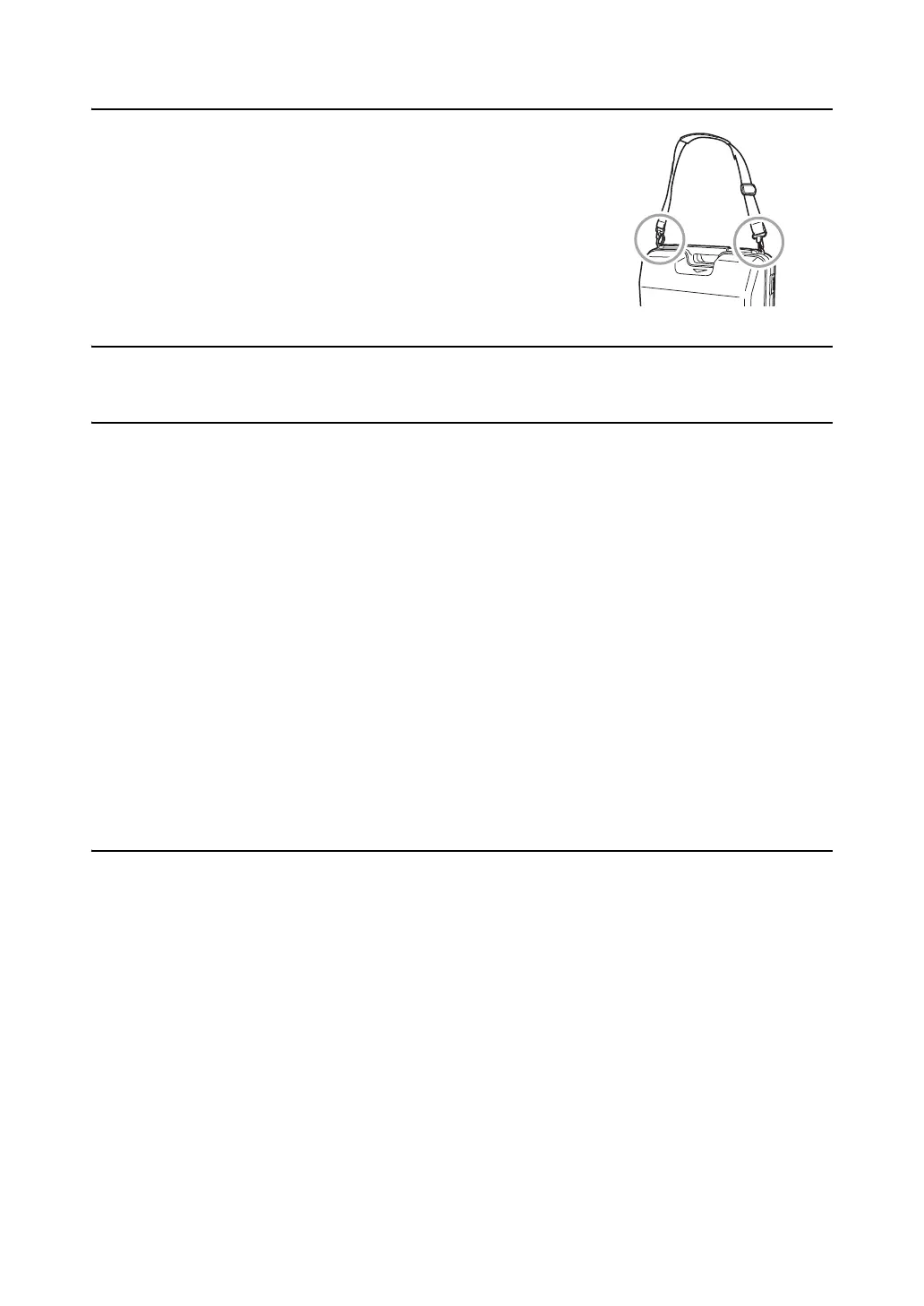
Carrying case
• When using the carrying strap, be sure to attach the both hooks to the
attachment holes on the carrying case.
Backing up data
• Data should be backed up (transfered to an external device etc.) on a regular basis to prevent data loss.
Other precautions
• Close the external interface hatch before starting measurement. Otherwise, ambient light entering the USB
port may adversely affect measurement results.
• If the ES is moved from a warm place to an extremely cold place, internal parts may contract and make the
keys difficult to operate. This is caused by cold air trapped inside the hermetically sealed casing. If the keys
do not depress, open the battery cover to resume normal functionality. To prevent the keys from becoming
stiff, remove the connector caps before moving the ES to a cold place.
• Never place the ES directly on the ground. Sand or dust may cause damage to the screw holes or the
centering screw on the base plate.
• Do not aim the telescope directly at the sun. Also, attach the lens cap to the telescope when not in use. Use
the Solar filter to avoid causing internal damage to the instrument when observing the sun.
“21. SPECIAL ACCESSORIES”
• Protect the ES from heavy shocks or vibration.
• Never carry the ES on the tripod to another site.
• Turn the power off before removing the battery.
• When placing the ES in its case, first remove its battery and place it in the case in accordance with the layout
plan.
• Consult your local dealer before using the instrument under special conditions such as long periods of
continuous use or high levels of humidity. In general, special conditions are treated as being outside the
scope of the product warranty.
Maintenance
• Always clean the instrument before returning it to the case. The lens requires special care. First, dust it off
with the lens brush to remove tiny particles. Then, after providing a little condensation by breathing on the
lens, wipe it with the wiping cloth.
• If the display unit is dirty, carefully wipe it with a soft, dry cloth. To clean other parts of the instrument or the
carrying case, lightly moisten a soft cloth in a mild detergent solution. Wring out excess water until the cloth
is slightly damp, then carefully wipe the surface of the unit. Do not use any alkaline cleaning solutions,
alcohol, or any other organic solvents, on the instrument or display unit.
• Store the ES in a dry room where the temperature remains fairly constant.
• Check the tripod for loose fit and loose screws.
• If any trouble is found on the rotatable portion, screws or optical parts (e.g. lens), contact your local dealer.
• When the instrument is not used for a long time, check it at least once every 3 months.
“18. CHECKS AND ADJUSTMENTS”
• When removing the ES from the carrying case, never pull it out by force. The empty carrying case should be
closed to protect it from moisture.
• Check the ES for proper adjustment periodically to maintain the instrument accuracy.



 To Next Page