MC-X1 Connectivity and Configuration
Resetting the MC-X1
6
X-52/X-72 2D Excavator Installation and Calibration Manual P/N: 1022461-01
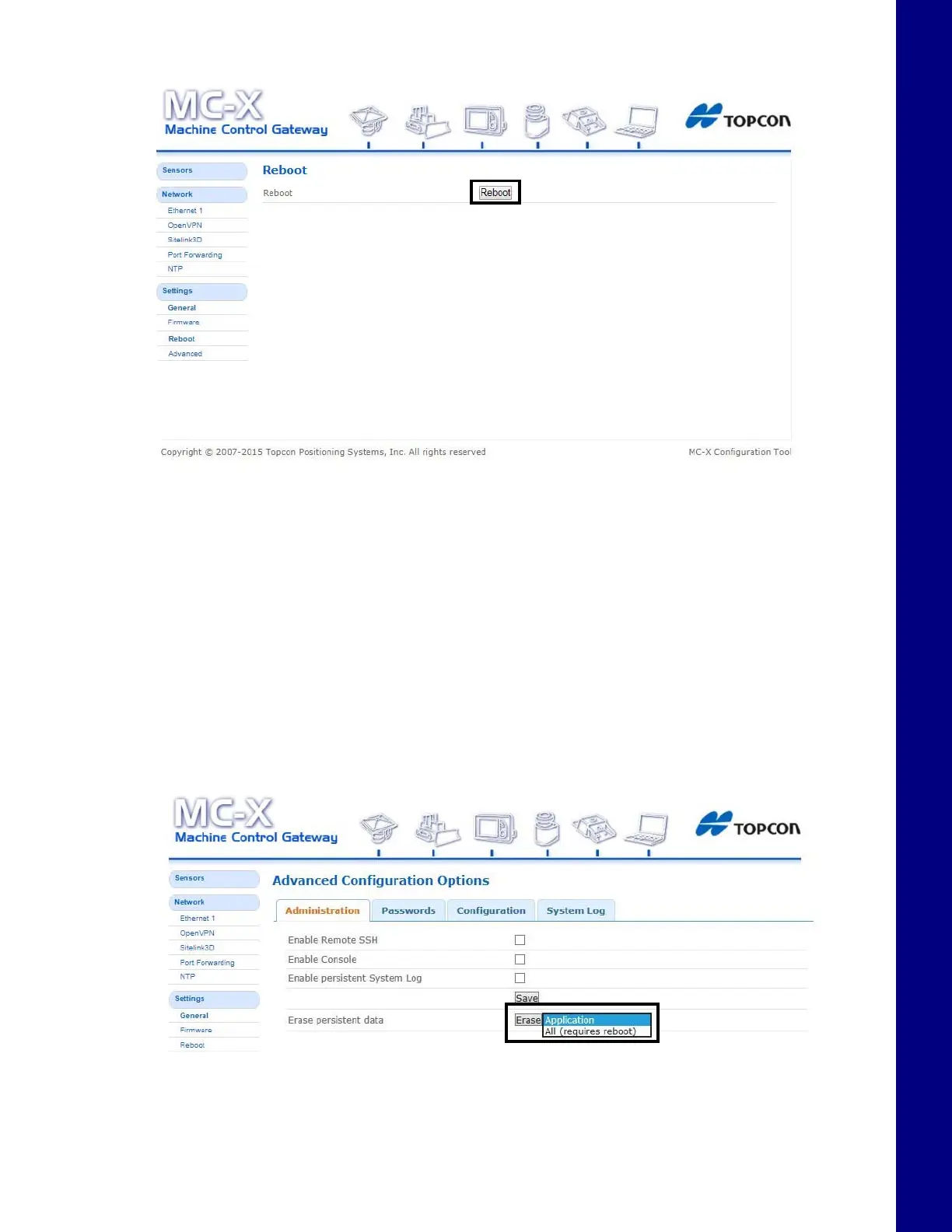
Figure 9. Reboot
Resetting the MC-X1
If the MC-X1 settings are in an unknown state, all the settings can be reset, which will remove most
settings, including any user defined settings. This step is recommended if the history of the unit is
unknown, or if it has been upgraded from any early beta version of the MC-X1 firmware.
1. From the menus on the left of the screen click SettingsAdvanced, and then click the
Administration tab.
2. In Erase persistent data row, select Application from the drop-down list.
3. Click Erase.
Figure 10. Firmware
4. Locate and click the Reboot shortcut link at the top of the screen, or click SettingsReboot
on the left side of the screen.



 To Next Page