MC-X1 Connectivity and Configuration
3
X-52/X-72 2D Excavator Installation and Calibration Manual P/N: 1022461-01
MC-X1 Connectivity and Configuration
Configuration of the unit can be done using a GX Series display while connected in the machine, or with
a computer using the following programing cable:
• MC-X1 Program Cable
Connecting to the MC-X Web Interface from a PC
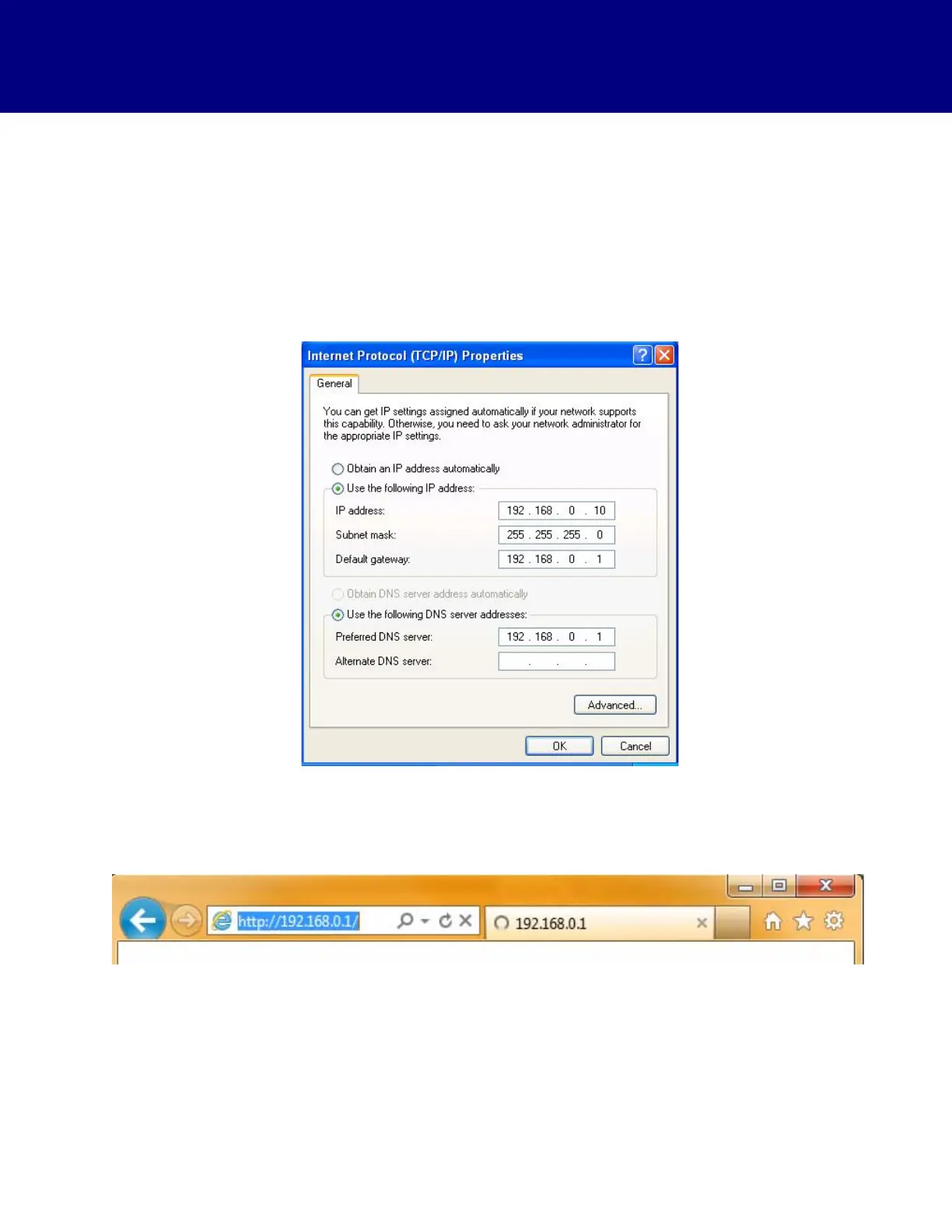
By default, the computer should be set to Obtain IP address automatically (Figure 4). The IP address
is required. Although the steps t
o check for the IP address may vary depending on the computer operating
system, they should be similar to the steps for the display.
Figure 4. Confirm Internet Protocol (TCP/IP) Properties
1. Open the web browser on the display
or your computer.
2. Type 192
.168.0.1 into the address bar to connect to the web interface of the MC-X1 (Figure 5).
Figure 5. Access Topcon Sitelink3D Gateway Web Interface



 To Next Page