Calibration
Excavator Hitch
31
X-52/X-72 2D Excavator Installation and Calibration Manual P/N: 1022461-01
Excavator Hitch
There are two options to mount the hitch sensor:
• Mount the sensor directly on the attachment/bucket, or inside the quick release coupler.
• Mount the sensor on the DogBone.
Because the DogBone option requires extra steps before calibrating the bucket, this procedure will be
discussed first.
DogBone Sensor
When performing the DogBone sensor calibration, a builder’s level is required to correctly position the
DogBone at zero degrees.
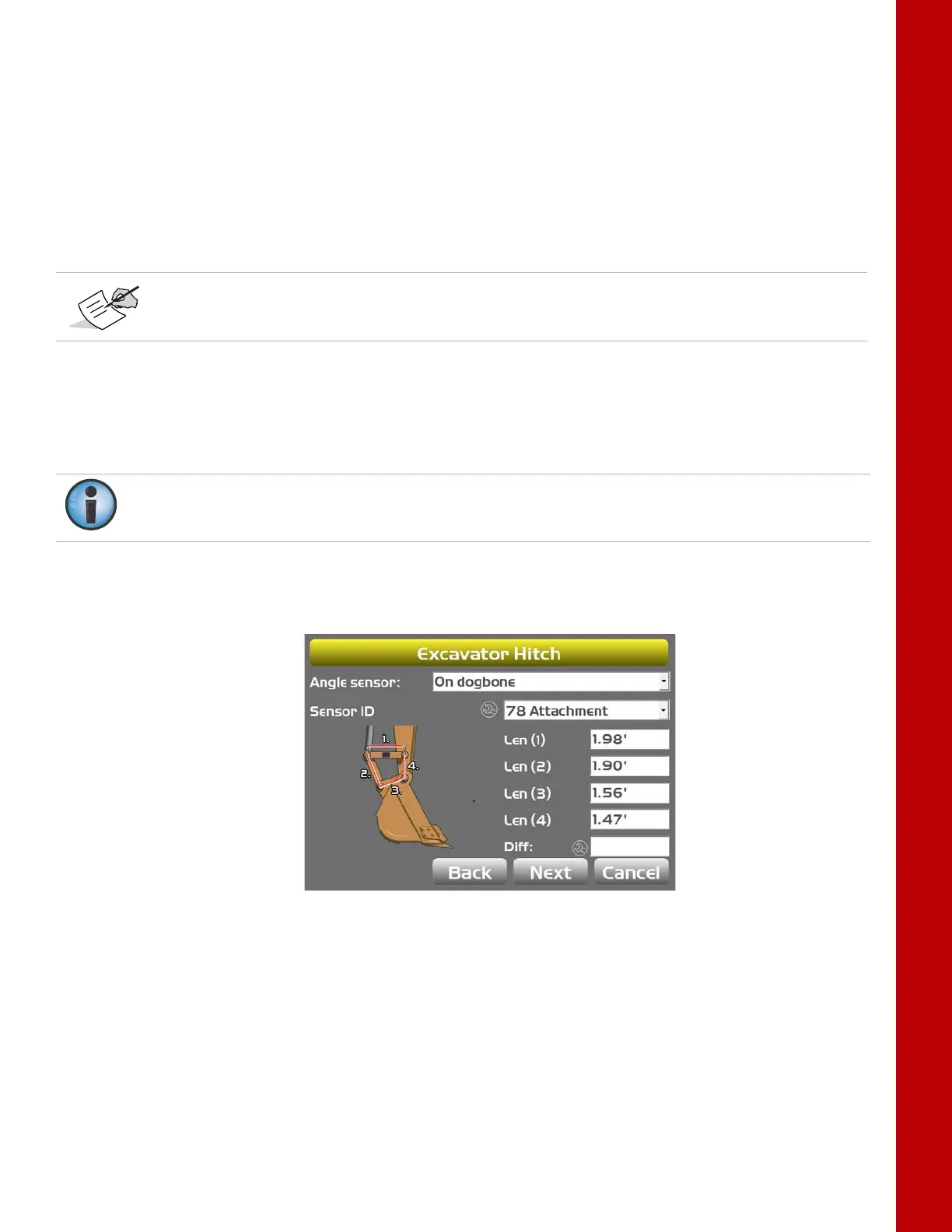
1. Tap the Wrench icon that corresponds to the DogBone sensor (Figure 37).
2. Select the correct orientation from the drop-down menu.
Figure 37: Check Sensor Mounted on DogBone.
3. Set the DogBone pivot pin and the bucket pivot pin vertical with either a plumb bob or a survey
instrument. Then set the DogBone horizontal using a builder’s level.
4. Once the DogBone is square and level, tap Set next to Pitch, enter 0.00, and tap Set.
If mounting the hitch sensor directly on the attachment, or inside the quick-release coupler,
skip to
“On Hitch/Coupling” on page 33.
The DogBone calibration compares the stick sensor to the DogBone sensor to determine bucket
angle. The stick sensor must be properly calibrated before attempting the DogBone calibration.



 To Next Page