Calibration
CAN Termination
39
X-52/X-72 2D Excavator Installation and Calibration Manual P/N: 1022461-01
Tilting Rotating Bucket
Refer to the Installation and setup manual from the manufacturer of the tilting / rotating bucket.
CAN Termination
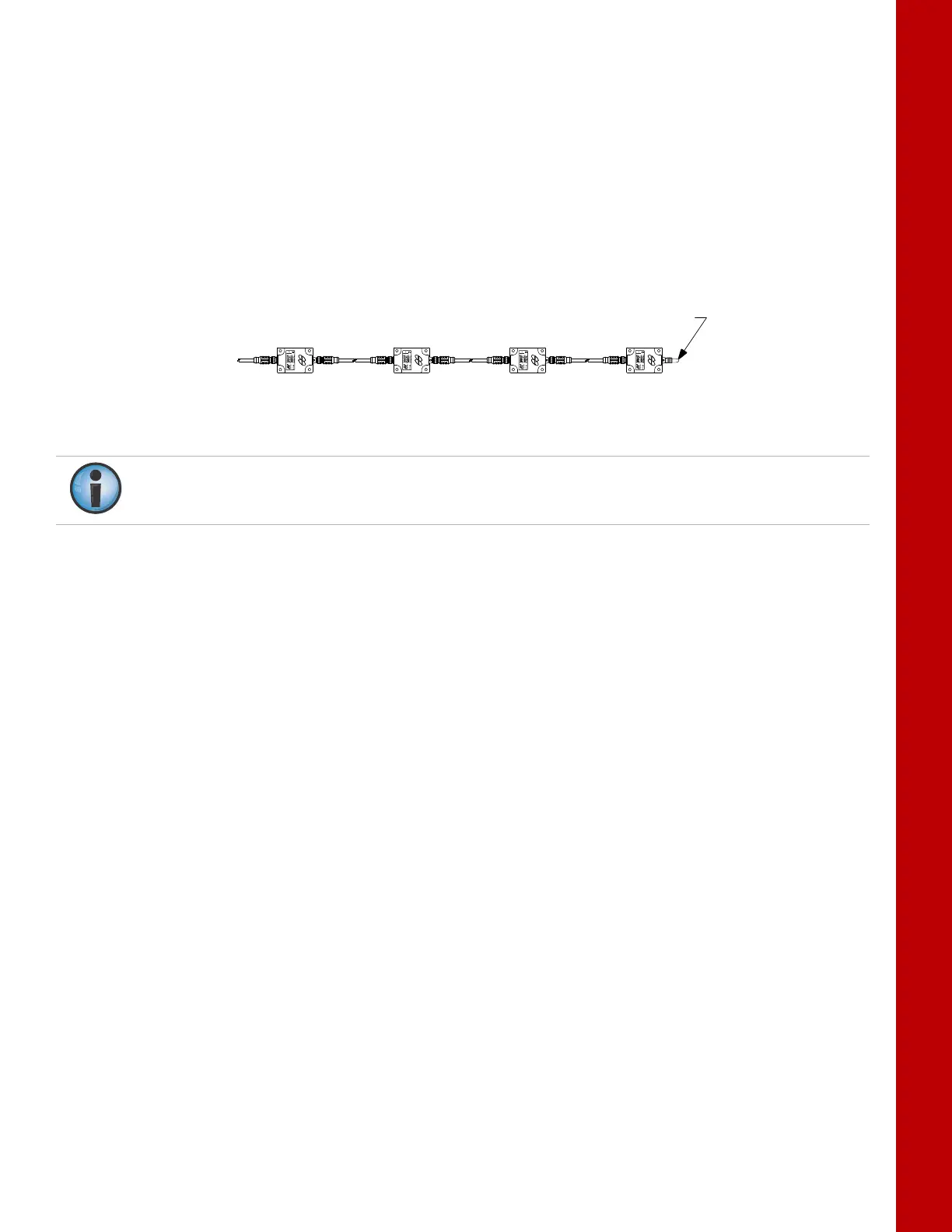
To ensure proper communication between the sensors and the control box, the last sensor physically
connected must use the hard terminator provided with the excavator systems. Typically, this hard
terminator connects to the hitch sensor or the tilt bucket sensor.
Figure 48: Hard Terminator on Sensor Furthest from the Display
Sensor Filtering
The filter level for each sensor can be changed depending on the application and operator’s choice.
A value of 4 (heavy filtering) will dampen sensor reaction, while a value of 1 (light filtering) will cause
faster sensor reaction.
1. In 3D-MC, tap Topcon Menu ButtonControlMachine setup. Select the applicable
machine file and tap Edit. Tap Next to navigate to the Excavator Frame/Sensors screen,
Excavator Stick screen, or the Excavator Hitch screen.
2. Tap the Wrench icon next to Sensor ID (Figure 49).
3. Select a filtering level and tap OK (Figure 49).
BODY BOOM STICK HITCH
SENSOR
TERMINATOR
Do not use the 3D-MC software to terminate any sensor. Use only the hard terminator.



 To Next Page