Calibration
Excavator Hitch
32
X-52/X-72 2D Excavator Installation and Calibration Manual P/N: 1022461-01
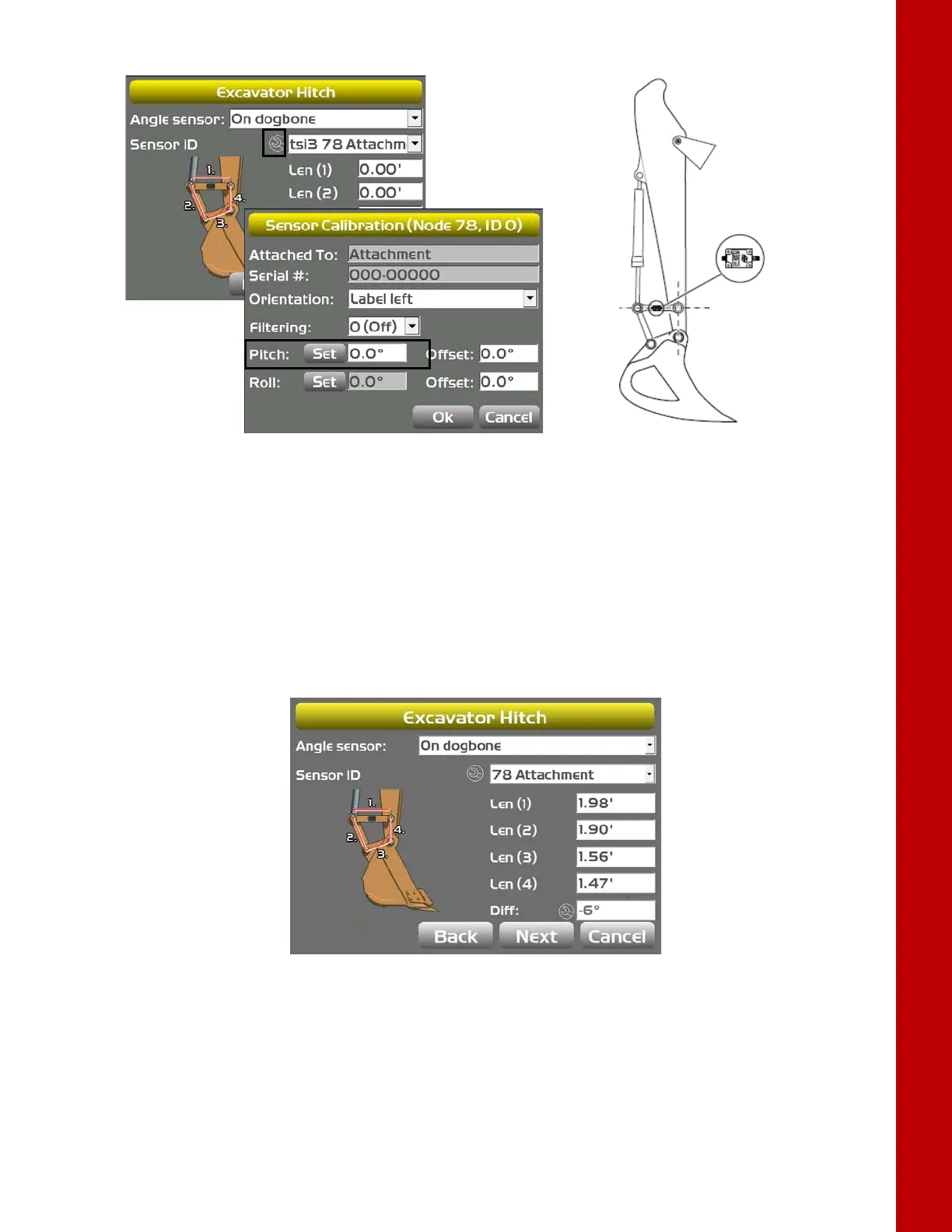
Figure 38: Set Pitch Value to Zero
5. Tap OK; the Excavator DogBone screen appears (Figure 39).
6. Tap the Wrench; the DogBone Calibration screen appears.
7. Ensure that the angle between the DogBone and line between the DogBone pivot pin and the
attachment pivot pin is still 90 degrees, as was done in step 3.
8. Tap OK; the Excavator DogBone screen appears with a stick angle difference displayed.
Figure 39: Determine Stick Angle Difference
9. If this is the last sensor physically connected to the machine, see “CAN Termination” on page 39.



 To Next Page