EasyManua.ls Logo

Torbal AD60 - Page 29

Torbal AD60
64 pages
Print Icon
To Next Page IconTo Next Page
To Previous Page IconTo Previous Page
Loading...
27
Instruction Manual AD Series
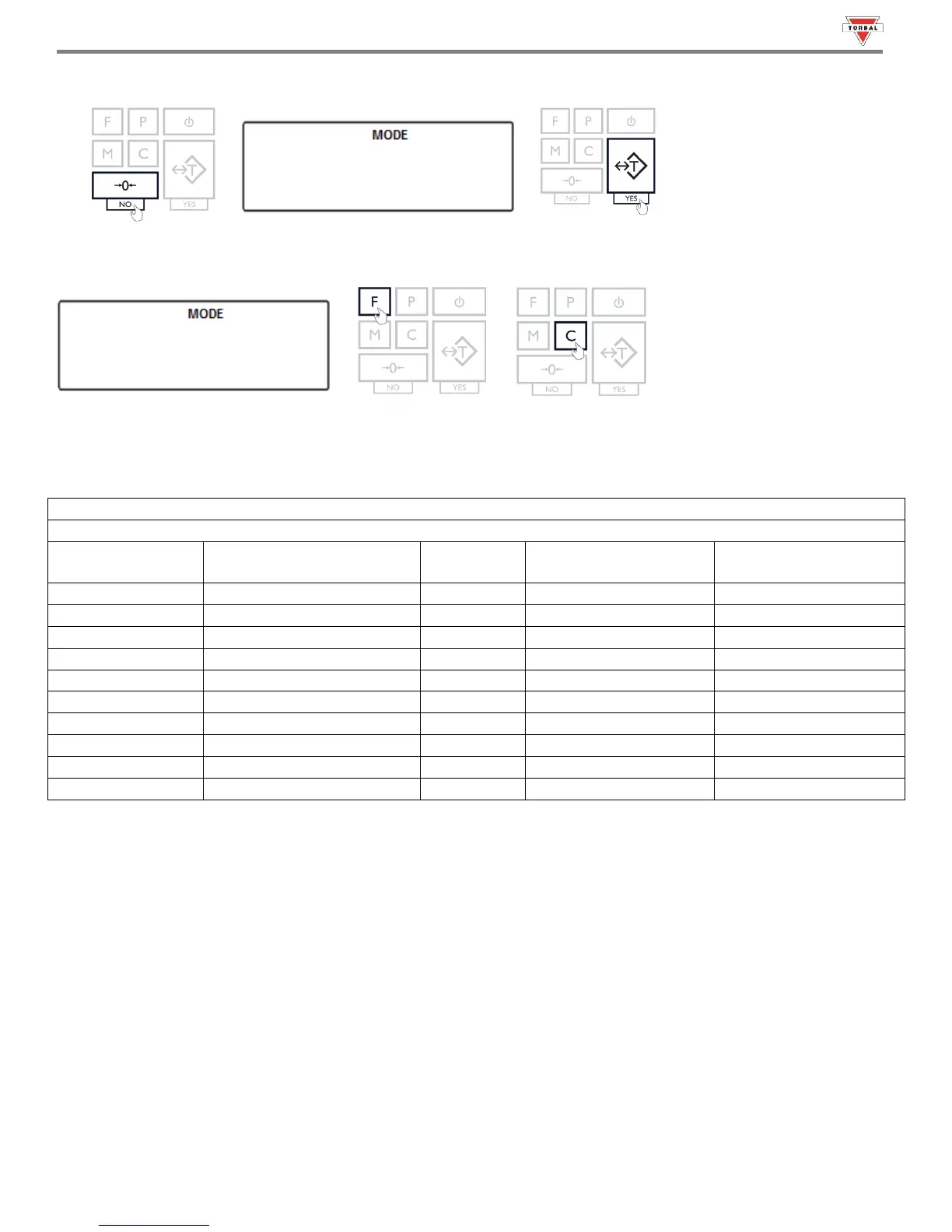
6. Press the 0 key (NO) to increment a digit. Press the “T” (YES) to accept and add a digit.
7. Press the “Fkey to accept the entire setting. Press the “C” key to clear and start over.
To become familiar with entering a value, refer to the example in Table 11.1.
Table 11.1: Setting a Model Number
Current display
Action to take
Key to use
Number of depressions
Display becomes
-
Increment the digit
0 (No)
6
5
5
Accept and go to next digit
T (Yes)
1
50
50
Increment the digit
0 (No)
4
54
54
Accept and go to next digit
T (Yes)
1
540
540
Increment the digit
0 (No)
3
543
543
Accept and go to next digit
T (Yes)
1
5430
5430
Increment the digit
0 (No)
2
5432
5432
Accept the entire setting
T (Yes)
1
54320
54320
Increment the digit
0 (No)
1
54321
54321
Accept the entire setting
FUNCTION
1
--



Table of Contents

Related product manuals