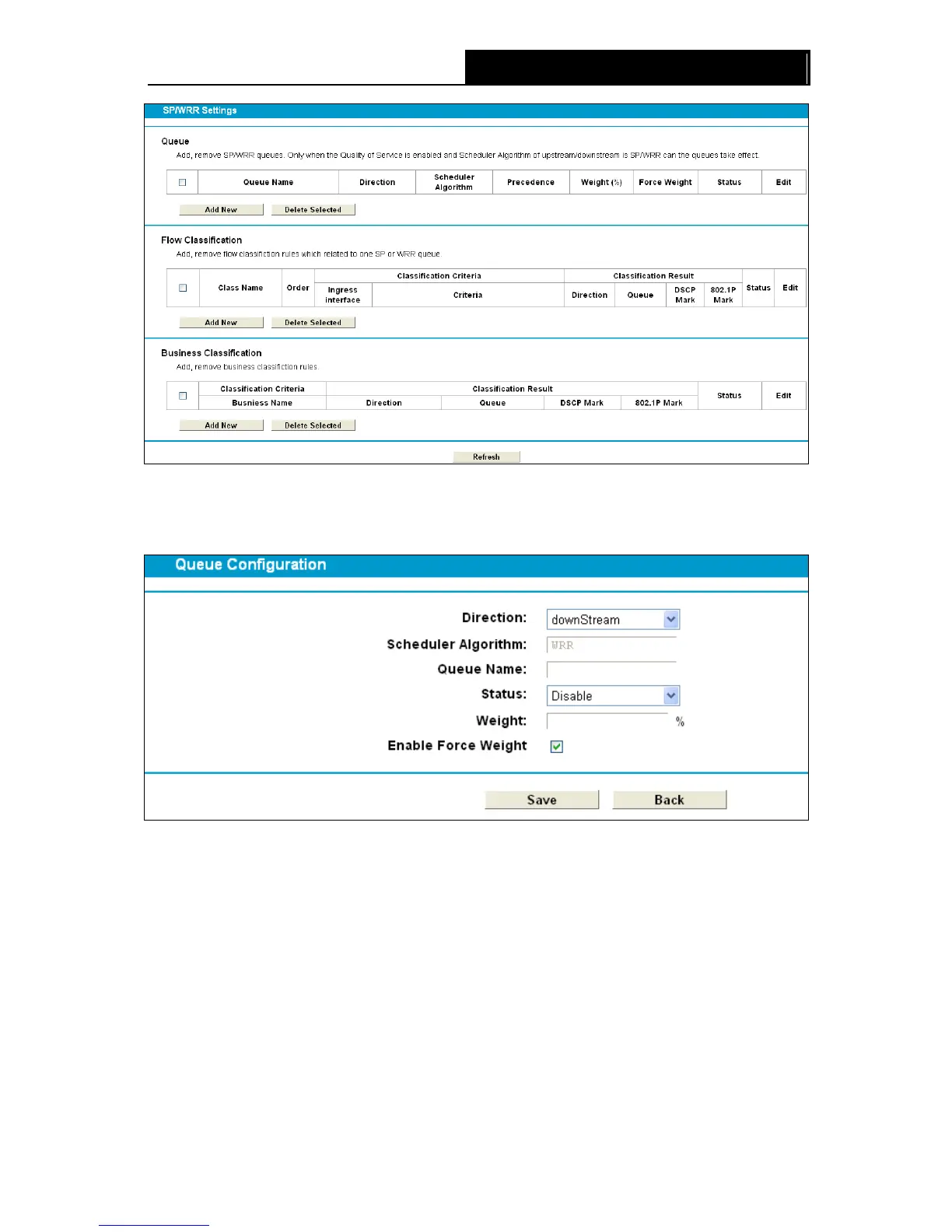
Figure 4-112
Queue: Click Add New button shown in queue part in Figure 4-112, you can add a new queue in
Figure 4-113.
Figure 4-113
Direction: Select the direction.
Scheduler Algorithm: Displays the Scheduler Algorithm you have chosen in Figure 4-111
Queue Name: Enter a name for the queue.
Status: Select the status of the queue is enabled or disabled.
Precedence: Set a priority for your queue, the range is 1~8, ‘1’ stands for the highest priority
while ‘8’ stands for the lowest priority.
Weight: In WRR mode you need set the weight for you queue, choose a integer from 1~100.
Enable Force Weight: In WRR mode you could enable this function.
100












 To Next Page