Note:
1) Only enable the QoS function of the relevant direction, the queue configuration in SP or WRR
mode could take effect.
2) At most you could establish 8 upstream queues and 8 upstream queues.
Click the Save button to save your settings.
Click Back to go back to the previous page
Flow classification: Flow classification function identifies packets conforming to certain
characters according to certain rules. Click Add New button shown in flow classification in Figure
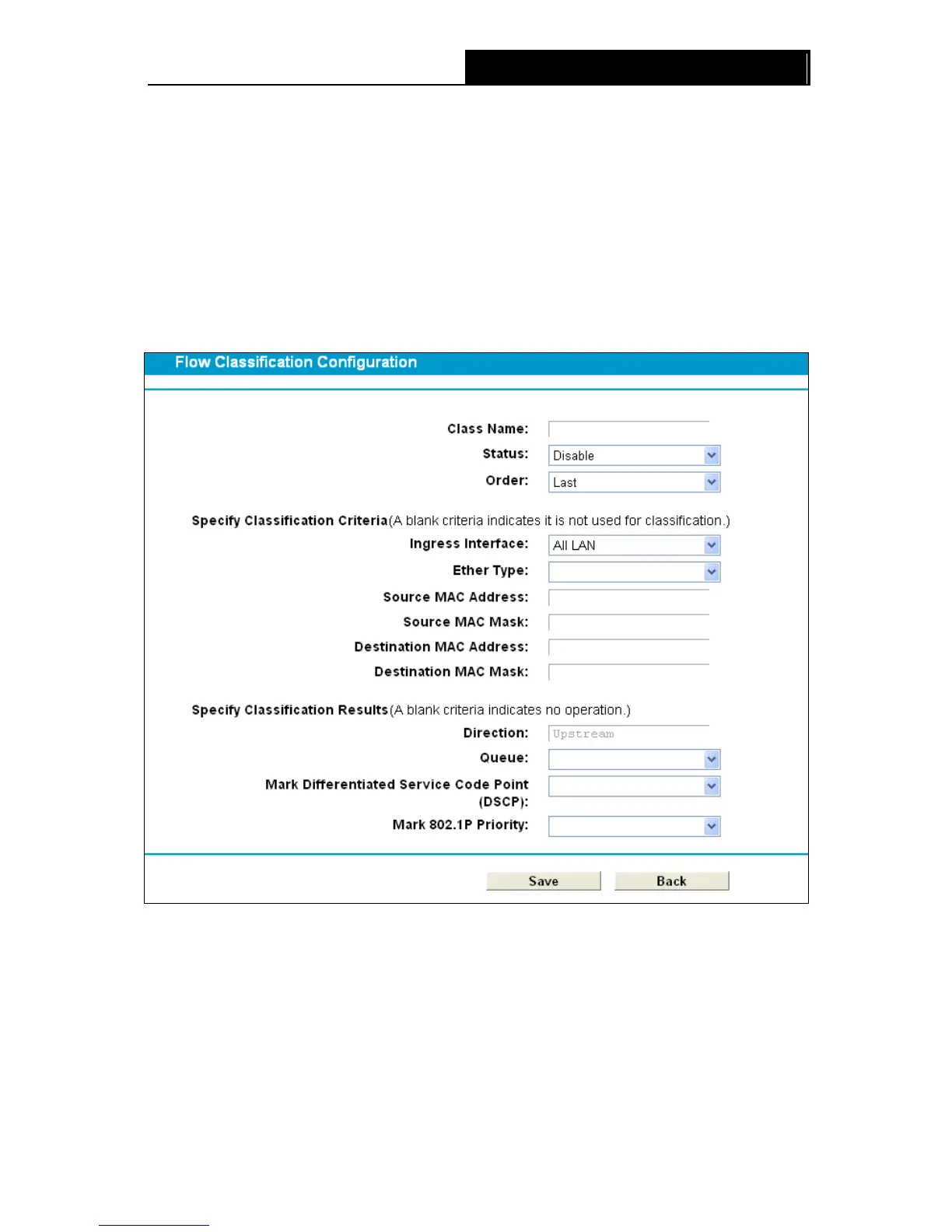
4-112, you can add a new classification in Figure 4-114.
Figure 4-114
Class Name: Enter a name for your classification.
Status: Select the status of the classification is enabled or disabled.
Order: Set a priority for classification, “Last” means the lowest priority.
Ingress Interface: Select your desired Interface.
Ether type: Select your ether type from the dropdown list.
101












 To Next Page