Installing the blade
36 07/2019 244156V03_EN
- The locating pins protruding through the blade must engage in the
holes on the pressure plate so that it rests fully against the blade.
4. Screw the nut onto the knife shaft and tighten the nut hand-tight with a
ring spanner.
- Use the installation spanner to prevent the blade from turning.
5. Lift the removal chute ( “Lifting removal chamber:” on page 86).
6. Insert the crumb tray ( “Inserting crumb tray:” on page 86).
7. Close and lock the door ( “Closing front door:” on page 87).
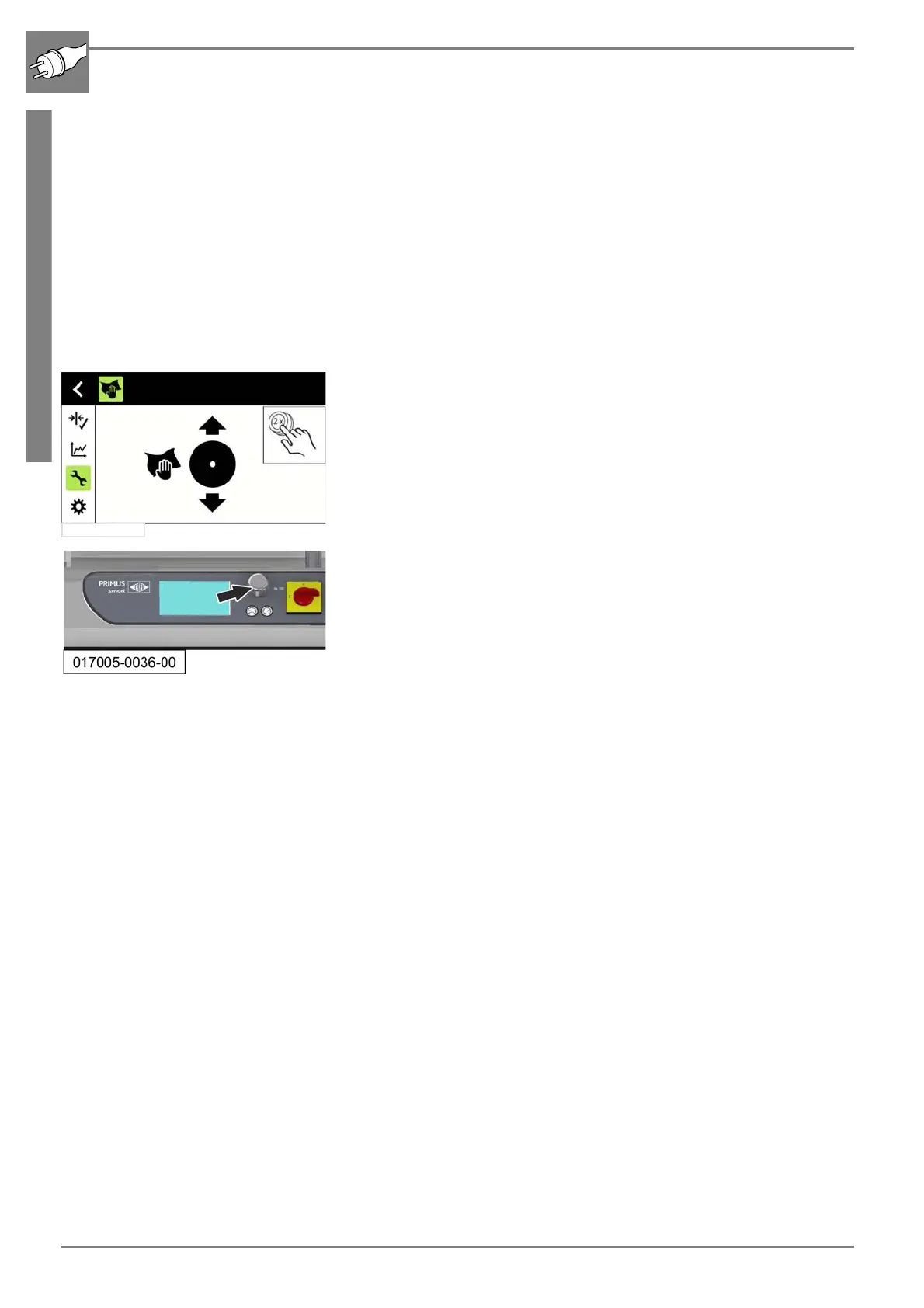
5.3.1 Checking that the knife runs freely
1. The machine is operational.
2. Select the “Service” menu via the rotary pushbutton ( “Menü „Ser-
vice“” on page 68).
- The cleaning function is displayed in the service menu.
3. Adjust the position of the blade at the rotary pushbutton (ARROW) so
that the blade moves completely through the blade chute at least once
( “Manual movement of the blade to a changed cleaning position (al-
ternative)” on page 69).
- Make sure that the blade does not scrape against the cutting chute.
4. To close the cleaning cycle, operate the rotary pushbutton longer than
3 seconds.
- The cleaning position is left.
5. Then initialise the machine.
( “Initialising the machine” on page 59)


 To Next Page