Menu bar
62 07/2019 244156V03_EN
8.3 Menu bar
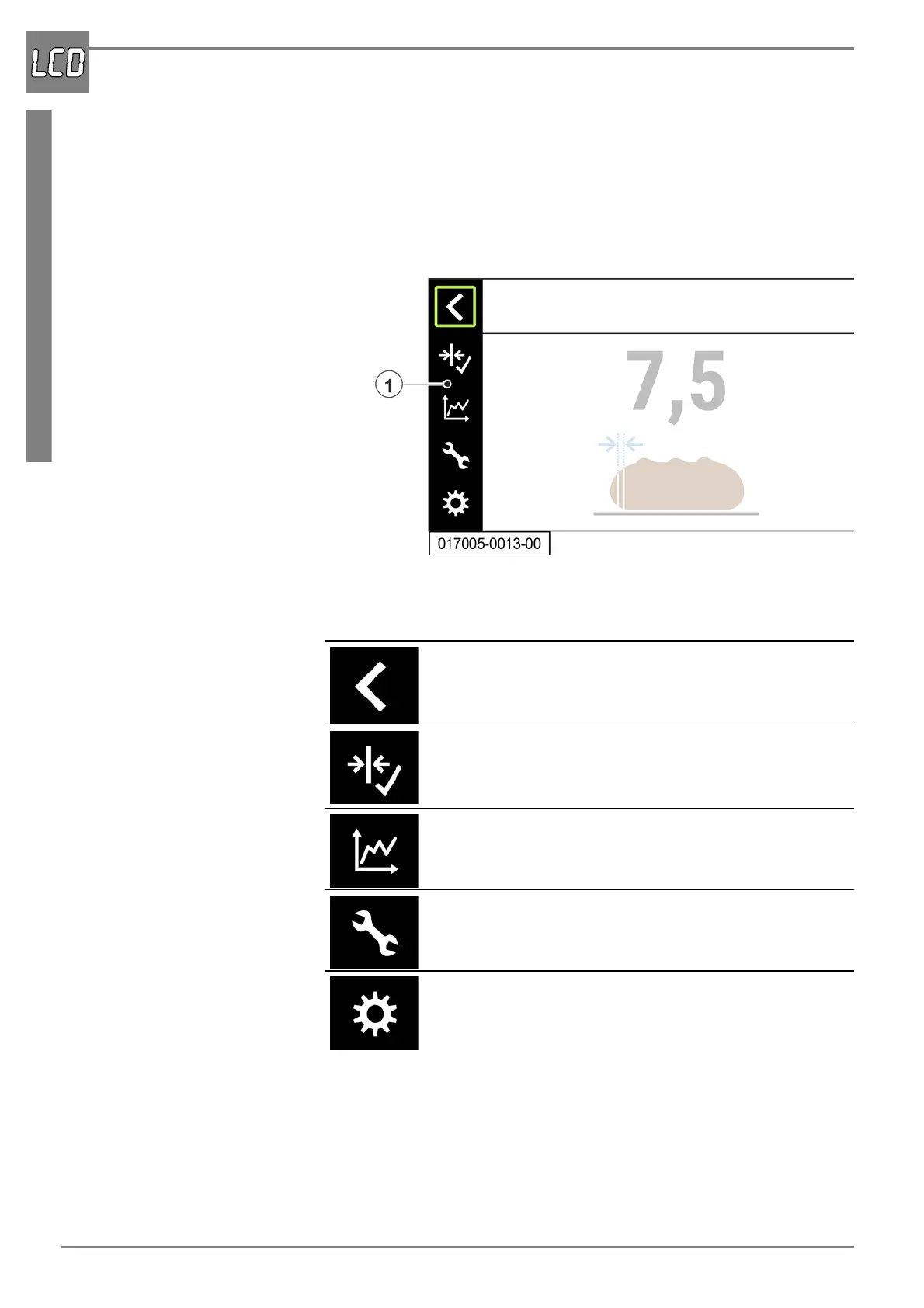
The visualisation features a menu bar allowing access to additional menu
pages. The menu bar is opened via the rotary pushbutton.
Open the menu bar
1. Press the rotary pushbutton for at least 3 seconds. The menu bar (1)
appears in the left area of the main menu.
The following menus can be accessed via the menu bar.
Symbol Function
Jumping back to the higher level menu structure and
closing the menu bar.
Accessing the menu “Basic slice thickness” ( “Menu
“Basic slice thickness”” on page 65).
Accessing the menu “Statistics” ( “Menu “Statistics””
on page 66).
Accessing the menu “Service” ( “Menü „Service“” on
page 68).
Accessing the menu “General” ( “Menu “General”” on
page 70).


 To Next Page