Inserting and cutting product
50 07/2019 244156V03_EN
7.4 Inserting and cutting product
7.4.1 Inserting the product
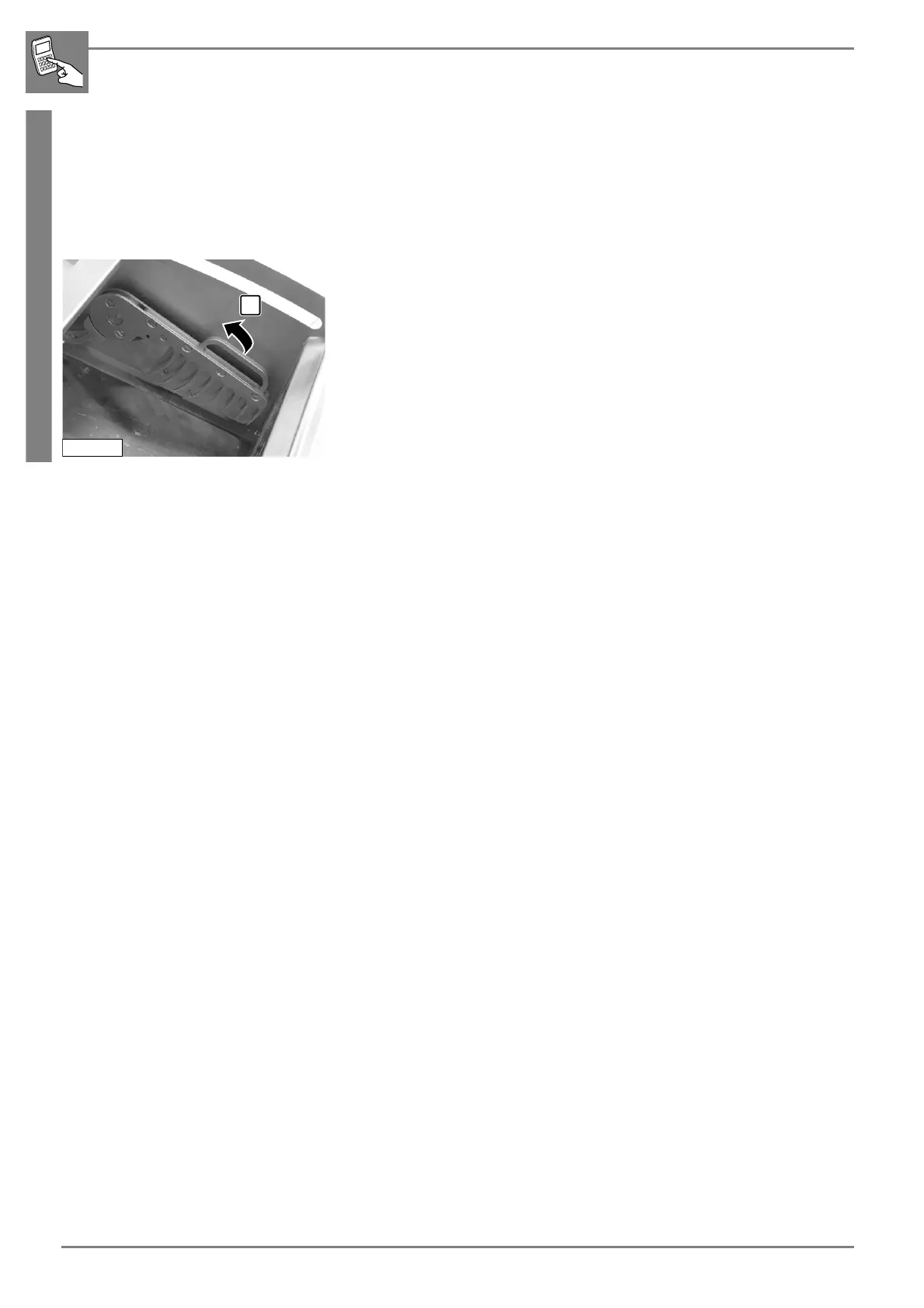
The machine is operational. The product feed holder is in clamping posi-
tion.
1. Open the infeed cover.
2. Place the product in the insertion chamber on the right against the
product feed holder.
3. When cutting half a round loaf of bread, place the cutting surface
against the chamber wall in the direction of the operator. (prevents
wedge-shaped bread slices).
4. Raise the product feed holder (1) and clamp the product.
- The product must be clamped as closely as possible.
5. Ensure that the slice support is in its starting position in the area of the
knife chamber provided the product is not longer than the insertion
chamber.
6. Close the infeed cover.


 To Next Page