48 TX9165-UM-EN-07
4.3 Main Setup Menu
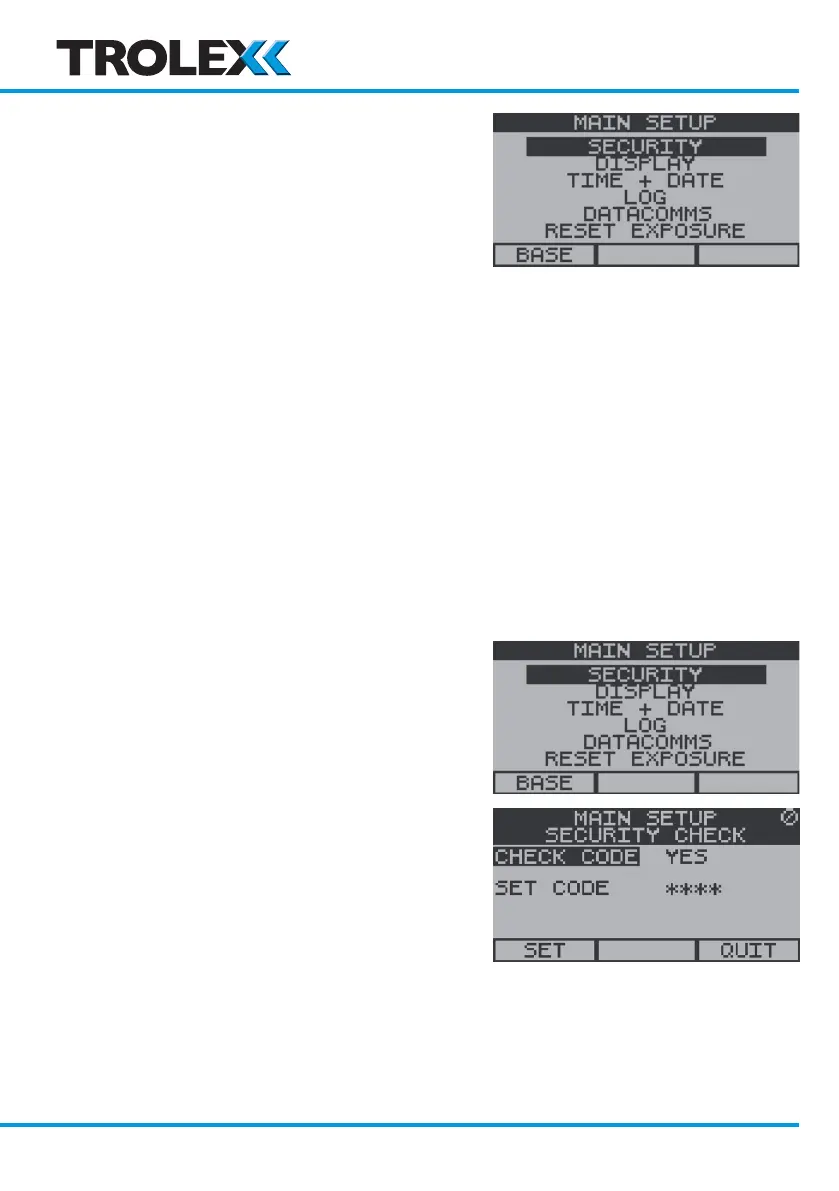
From the Base Screens press and hold down
the up arrow on the navigation keypad. After
a few seconds the Main Setup Menu will
appear. The available options are as follows:
• Security
• Check code
• Set code
• Display
• Contrast
• Auto scroll
• Backlight
• Confidence
• Time and Date
• Log
• Datacomms
• Reset Exposure
4.3.1 Security
To Access the Security Menu
From the Main Setup Menu, use the
navigation keypad, scroll to Security and
select OK.
Check Code
From the Security Menu, use the navigation
keypad, scroll to Check Code and select OK.
Scroll to Ye s or No and select OK. Scroll to
Set or Quit and select OK.
www.trolex.com


 To Next Page