42 TX9165-UM-EN-07
More detailed information about Sensor
Inputs, Relay Outputs and Audio/Visual
Alarms can be displayed.
Use the navigation keypad, scroll through
the four Base Screens of Sensor Inputs
Overview (two), Relay Outputs Overview
and Audio/Visual Alarms Overview to the
channel you wish to view in detail and select
OK.
4.2.2 Sensor Inputs Overview
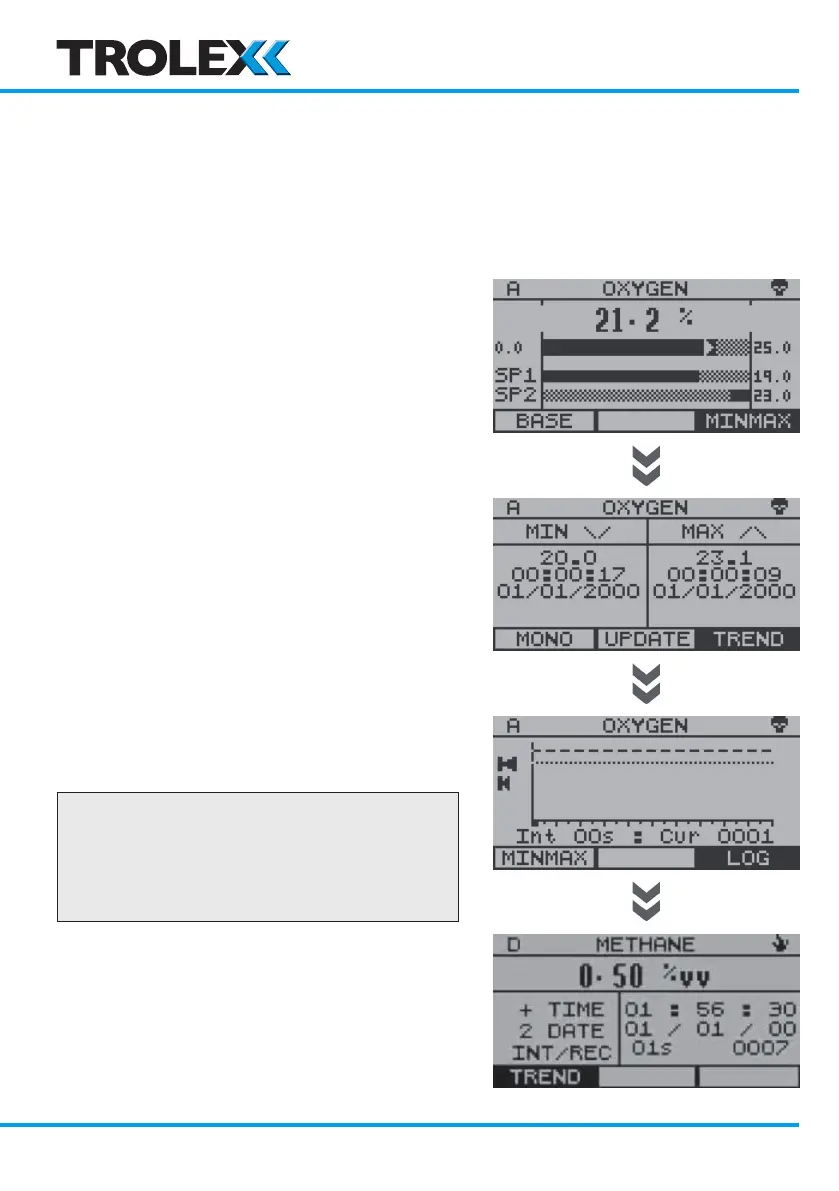
The detail view of each channel is displayed
on four/five screens in the following order:
• Mono View
• Exposure View - toxic gas eModule only
• Minmax View
• Trend View
• Log View
The Mono View appears first. Use the OK
key to step through the detail views and back
again to the Base Screens displaying the
Sensor Inputs Overview 1 & 2.
Checkpoint
The direction of a step can be changed at
any time by using the navigation keypad
to highlight the next view required in the
bottom bar.
www.trolex.com


 To Next Page