58 TX9165-UM-EN-07
4.4 Sentro eModule Setup
This displays more detailed information
about the configuration of individual eModule
channels.
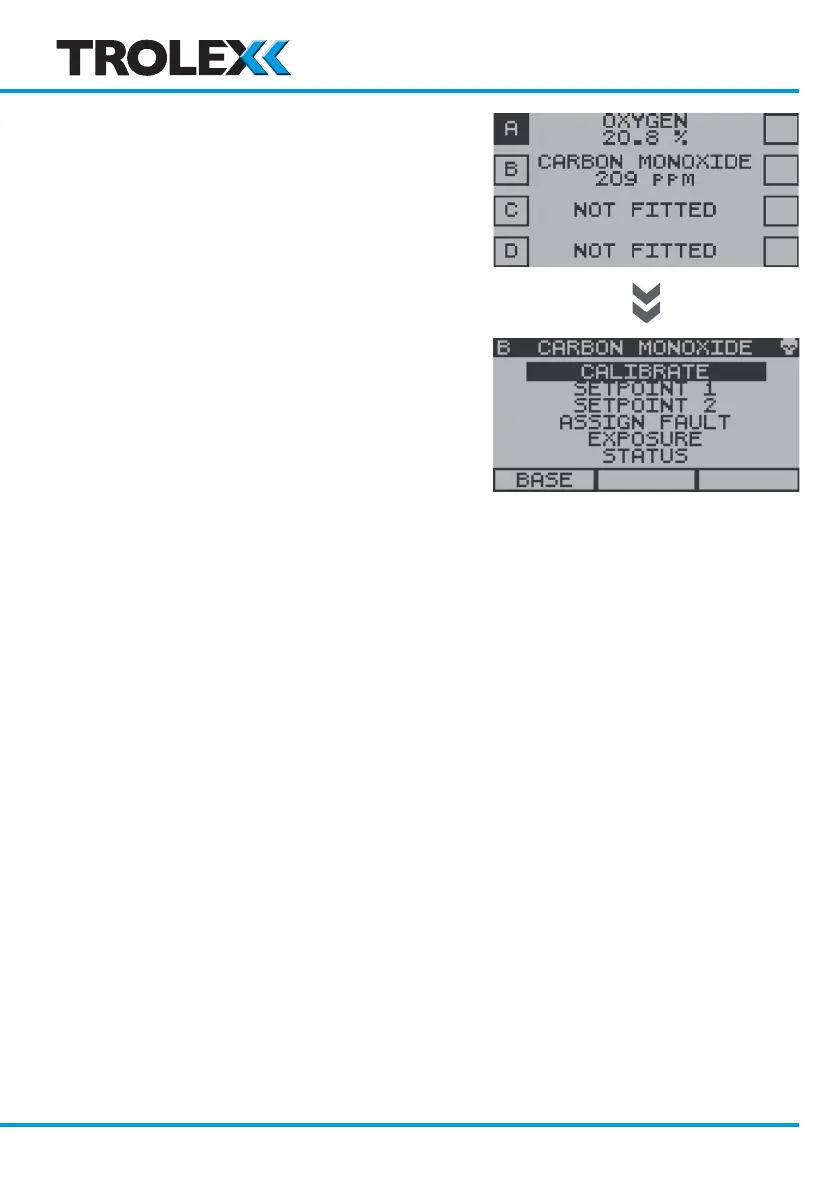
From the Base Screens, use the navigation
keypad, scroll to the required channel A, B, C
or D, press and hold down the left arrow on
the navigation keypad. After a few seconds
the Sentro eModule Setup Menu will
appear. The options are as follows:
• Calibrate
• Zero
• Set Calibration Gas
• Span
• Setpoint 1
• Activate
• Level
• Assign
• Setpoint 2
• Activate
• Level
• Assign
• Assign Fault
• Exposure
• Status
• Exclude
www.trolex.com


 To Next Page