TX9165 User Manual
TX9165-UM-EN-07 49
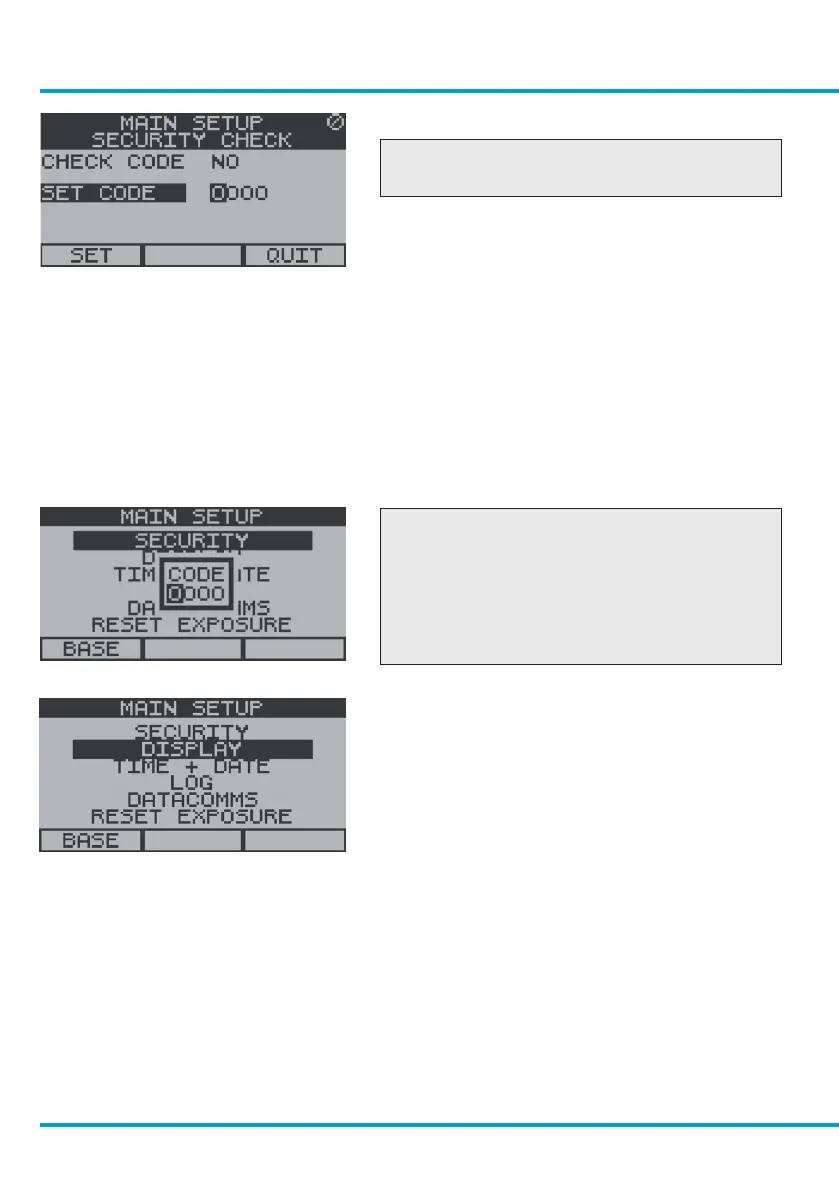
To Set the Security Code
Checkpoint
The factory set security code is 0000.
From the Security Menu use the navigation
keypad to scroll to Set Code and select OK.
Use the navigation keypad, scroll up or down
on the first digit to the required number,
scroll right to the next digit, repeat for all four
digits and select OK.
Use the navigation keypad, scroll to Set or
Quit and select OK.
Checkpoint
To Open the Security Barrier When Set
Use the navigation keypad, scroll up or
down on the first digit to the required
number, scroll right to the next digit, repeat
for all four digits and select OK.
4.3.2 Display
To Access the Display Settings Menu
From the Main Setup Menu use the
navigation keypad, scroll to Display and
select OK.
To Adjust the Display Contrast
From the Display Settings Menu use the
navigation keypad, scroll to Contrast and
select OK.
www.trolex.com


 To Next Page