TX9165 User Manual
TX9165-UM-EN-07 55
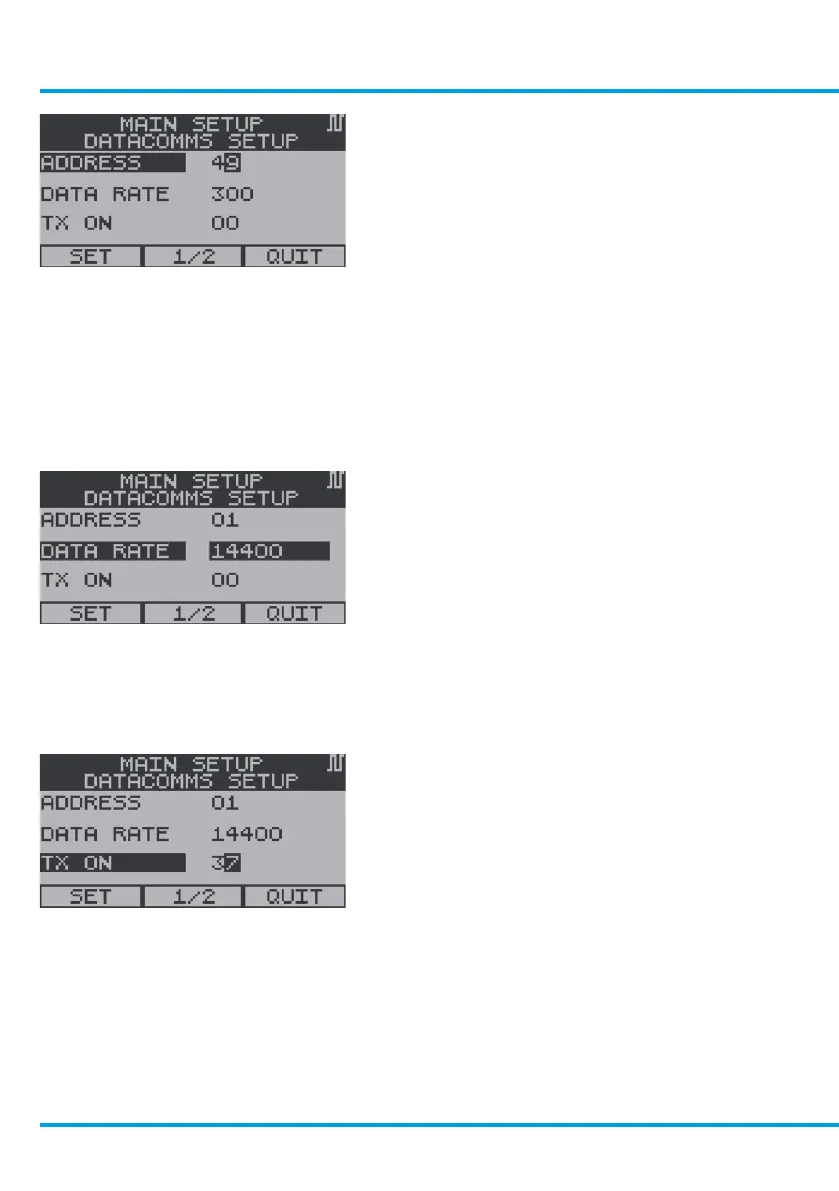
To Change the Address
From the Datacomms Setup Menu, use
the navigation keypad, scroll to Address and
select OK.
Use the navigation keypad, scroll up or down
on the first digit to the required Address,
scroll right to the second digit. Repeat the
above for the second digit in Address and
select OK.
Use the navigation keypad, scroll to Set or
Quit and select OK.
To Change the Data Rate
From the Datacomms Setup Menu, use the
navigation keypad, scroll to Data Rate and
select OK.
Use the navigation keypad, scroll up or down
to the required Data Rate and select OK.
Use the navigation keypad, scroll to Set or
Quit and select OK.
To Change the TX On Setting
From the Datacomms Setup Menu, use the
navigation keypad, scroll to TX On and select
OK.
www.trolex.com


 To Next Page