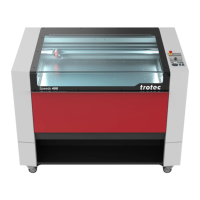
Speedy 360
BA 8032_2.2_EN (05/2016) 38 / 90
Button:
Z position working
table
Press the button to manually move the working table up or down.
Press Shift together with one of the Z position keys to move the
laser head to the corresponding end position. The Z axis
movement can be stopped by pressing any of the Z axis keys.
With light sensor or Sonar Technology™: Press both Z position
keys simultaneously to move up the working table automatically to
the right focus position.
To stop the movement press any Z position key.
For further information see chapter “Focusing”.
Press the button to stop the current working process.
Button:
Start/Pause/Repeat
Press the button to start the job which is currently on the plate in
JobControl
®
.
If a job is currently being processed, press the button to pause the
job (LED ON). Press the button again to continue the interrupted
working process (LED OFF).
Press the button after a job was finished to repeat the actual job
positioned on the plate in JobControl
®
.
Indicates the current status of the machine:
Green, flashing slowly (0.5 Hz)
Machine is ready
All covers closed
Green, flashing fast (2 Hz)
Blue and green, permanent
Data available
“Pause” mode
Receiving or processing
data


 To Next Page
 Loading...