4-20
D a t a L o g g i n g a n d E x p o r t
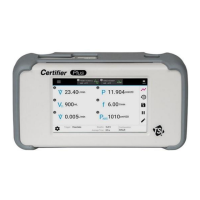
The Plus Flow Analyzer is capable of logging measurement data and capturing
screenshots. Files are saved to the internal memory of the Flow Analyzer and can be
exported through either of its two USB-A ports. Saved data is exported as .csv files and screenshots
are exported as .png files.
Data Acquisition
Press the save icon (disk image) in the right navigation bar to access the Data Save Options screen.
Upon pressing the save icon, the Flow Analyzer will automatically pause the display from
updating while you choose between taking a snapshot, continuous logging, or waveform logging.
Snapshot
The Snapshot feature saves a screenshot image as well as saves the data currently displayed on the
screen, either from the Parameter screen or Graph screen. Upon executing a snapshot, the
Flow Analyzer will create two files, an image file for the screen capture and a data file with a
single data point.
With the Snapshot option selected, a name is generated for the file using the screen being saved on,
followed by the current date and time. You can save with this name or
edit the Name field to input a custom name. You can input comments that will be attached to the
saved file.


 To Next Page