Low Voltage (LV) Power Supply Board
Replacement Procedures
LigaSure Vessel Sealing Generator Service Manual 8-15
Low Voltage (LV) Power Supply Board
Replacing the LV power supply board requires removing the cover, disconnecting
two cables, removing two screws, and lifting the board out of the chassis.
Installing a new LV power supply reverses the process.
Tools Needed
• Phillips head screwdriver
Remove the Low Voltage (LV) Power Supply Board
1. Turn off the generator. Disconnect the power cord from the wall receptacle.
Disconnect any footswitches or handsets currently connected to the generator.
2. Remove the cover.
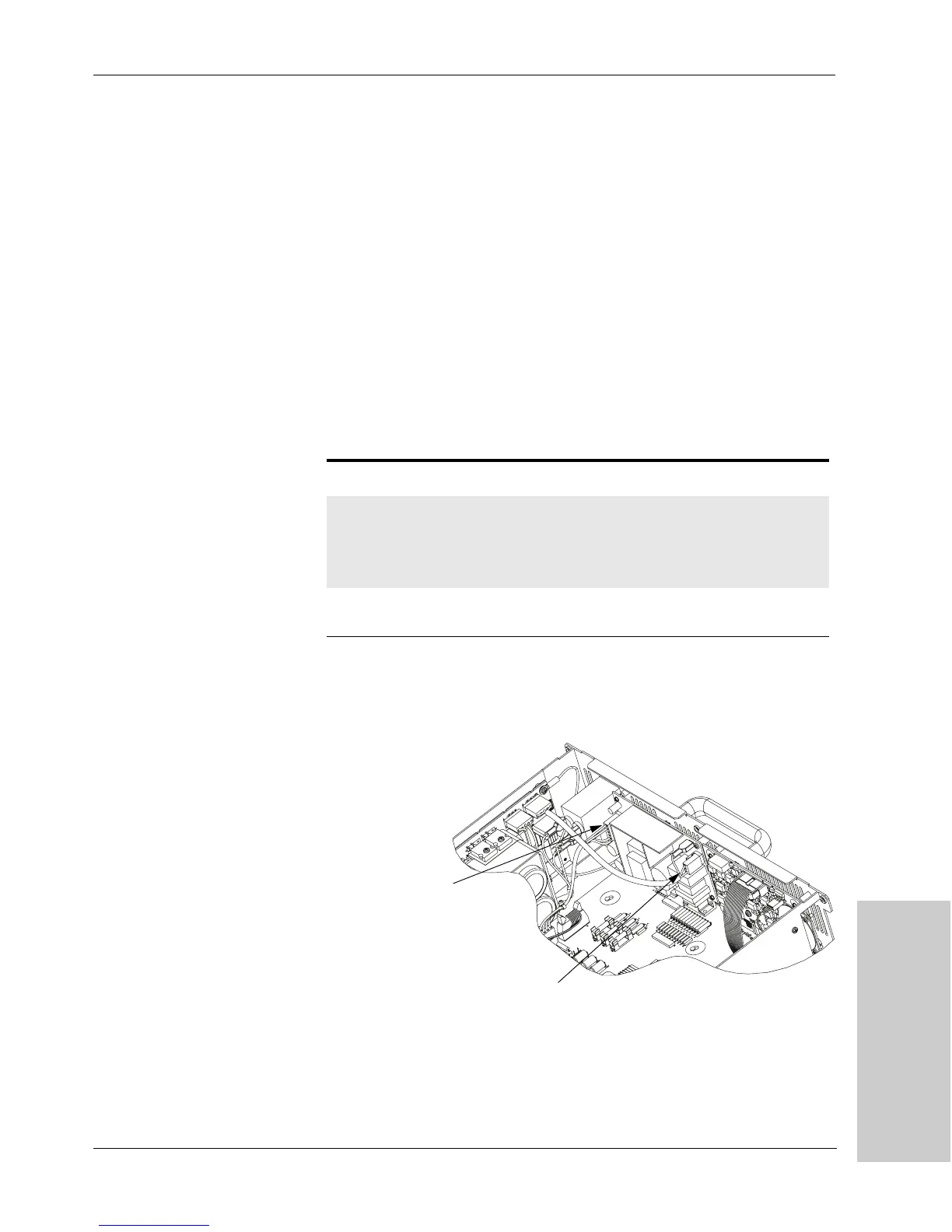
3. Remove two cables from the LV power supply:
*All reference points in this table appear on the HV power supply board.
Figure 8 -8.
LV power supply cable
connections
4.
Remove two screws (M4 x .7 x 8, located at the upper right and lower left
corners of the board) that secure the board to the chassis.
5. Two snap-top standoffs hold the board in position on the chassis. Push the
board toward the front of the unit to release it from the standoffs.
Name Ref* Location Wires Colors
Switched AC
power cable
Gnd
J1
upper right corner
of the board
upper right corner
of the board
1
2
green/yellow
brown and blue
LV DC cable J2 left end of the
board
4 blue, black, red,
and orange
LV DC Cable
Switched AC Power
Cable
Artisan Technology Group - Quality Instrumentation ... Guaranteed | (888) 88-SOURCE | www.artisantg.com



 To Next Page