Setting Up the Generator
Setup, Tests, and Adjustments
LigaSure Vessel Sealing Generator Service Manual 6-3
Connecting Bipolar or Macrobipolar Accessories
If you plan to use a footswitching bipolar instrument, you must connect a bipolar
footswitch. You may also use a footswitch to activate a handswitching instrument.
Connecting the Footswitch
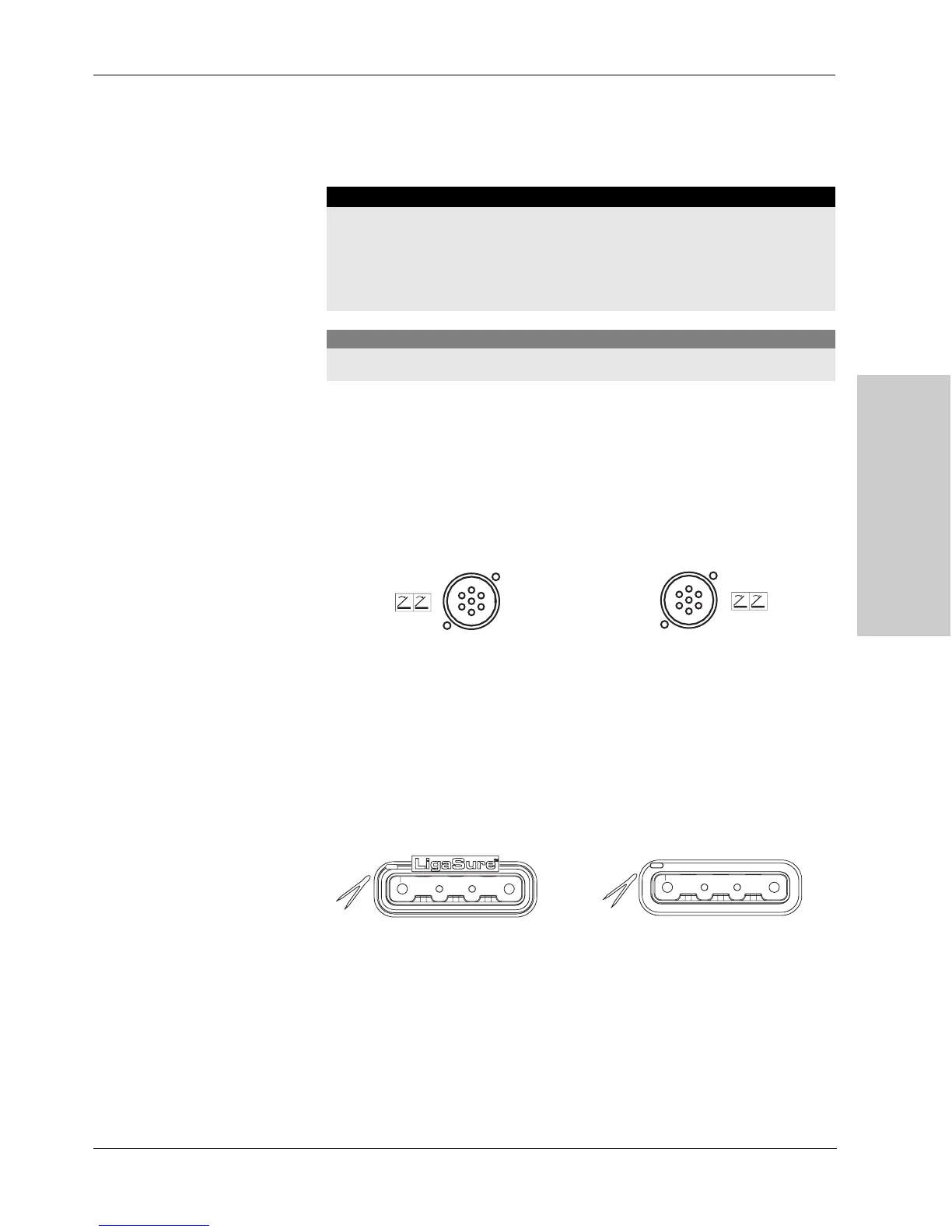
Connect the appropriate footswitch to the corresponding receptacle on the rear
panel.
Connecting the Handset
Connect the handset to the proper receptacle on the front panel, using a smart
connector adapter as necessary. Verify that the receptacle indicator illuminates
green to confirm a proper connection.
Warning
Electric Shock Hazard
• Do not connect wet accessories to the generator.
• Ensure that all accessories and adapters are correctly connected and that no
metal is exposed.
Caution
Connect accessories to the proper receptacle type.
Fi gure 6-1.
Vessel sealing footswitch receptacle
on the rear panel (purple band)
Figure 6-2.
Bipolar/macrobipolar
footswitch receptacle on the rear panel
(blue band)
Figure 6- 3.
Vessel sealing handset receptacle
(purple)
Figur e 6- 4.
Bipolar handset receptacle (blue)
Artisan Technology Group - Quality Instrumentation ... Guaranteed | (888) 88-SOURCE | www.artisantg.com



 To Next Page