Front Panel and Display Board
Replacement Procedures
LigaSure Vessel Sealing Generator Service Manual 8-21
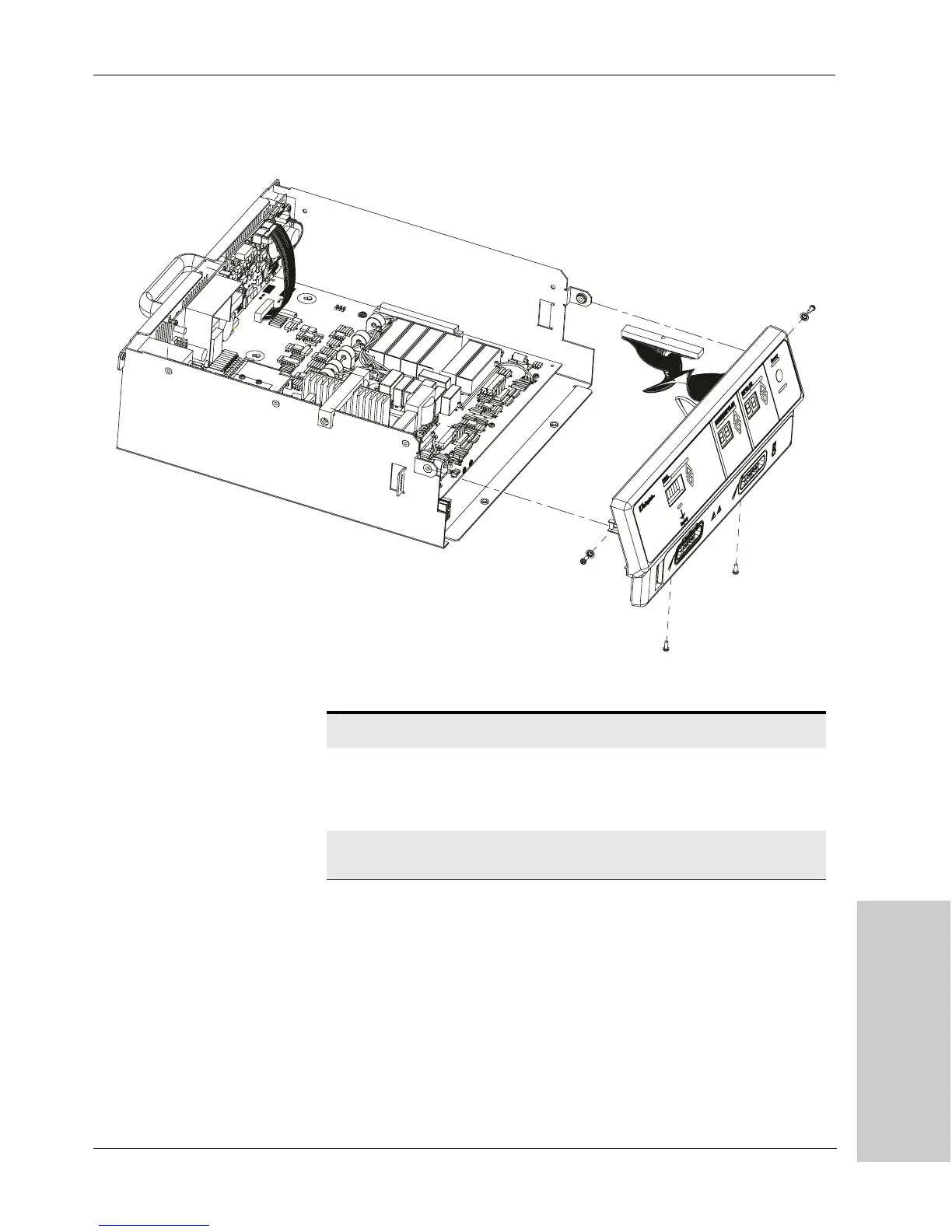
Fi g u re 8 - 1 3.
Installing the front panel
4.
Reconnect three cables:
5. Install the cover. For further information, refer to Cover in this chapter.
6. Connect the power cord to the wall receptacle.
Name Ref Location Wires Colors
RF out cables
(2)
J10 &
J11 on
RF
board
Near front edge of
RF board
4 (per
cable)
brown, blue,
yellow, and white
Control board
ribbon cable
Control board
Artisan Technology Group - Quality Instrumentation ... Guaranteed | (888) 88-SOURCE | www.artisantg.com



 To Next Page