Power Switch
Replacement Procedures
LigaSure Vessel Sealing Generator Service Manual 8-23
4. Pull the front panel away from the chassis until you gain easy access to the
power switch wires. Disconnect the wires:
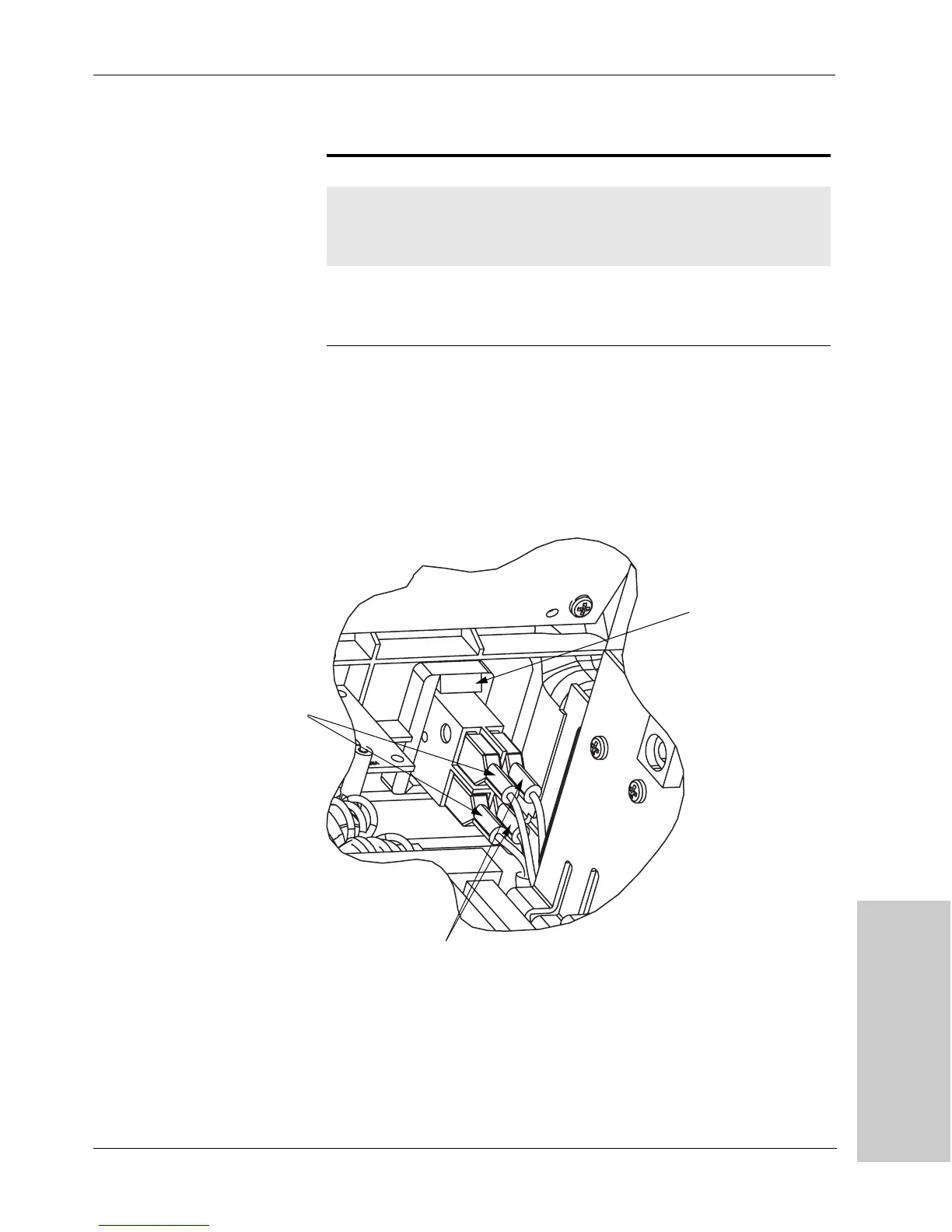
1. Remove the switch from the front panel:
a. At the back of the front panel, press the four tabs on the power switch to
release it from the panel.
b. Push the switch forward to remove it from the panel.
Fi g u re 8 - 1 4.
Power switch connections and
tabs
Name Location Pin No. Wires Color From
AC
switch 2
Top of switch
module
1
2
1
1
brown
blue
Input power
module
AC
switch 1
Bottom of
switch module
1A
2A
1
1
brown
blue
HV power
supply board
Tab (a corresponding
tab is on the bottom of
the switch)
Brown Wires
Blue Wires
Artisan Technology Group - Quality Instrumentation ... Guaranteed | (888) 88-SOURCE | www.artisantg.com



 To Next Page