11 Configuration & Calibration — Level, Limits, and Outputs
Varec, Inc. 127
5. Define the alarm conditions that can be used for outputs. At minimum, set values for the
following parameters:
CritLowLevel, AdvLowLevel, AdvHighLevel, CritHighLevel, LDeadband, CritLowTemp,
AdvLowTemp, AdvHighTemp, CritHighTemp, TDeadband, MinLevel, MaxLevel, MinTemp,
MaxTemp
Refer to “Tank Data” for information about the TANK point (parameter).
6. Set any other TANK parameters as appropriate.
7. Click the Exit button to return to the main screen.
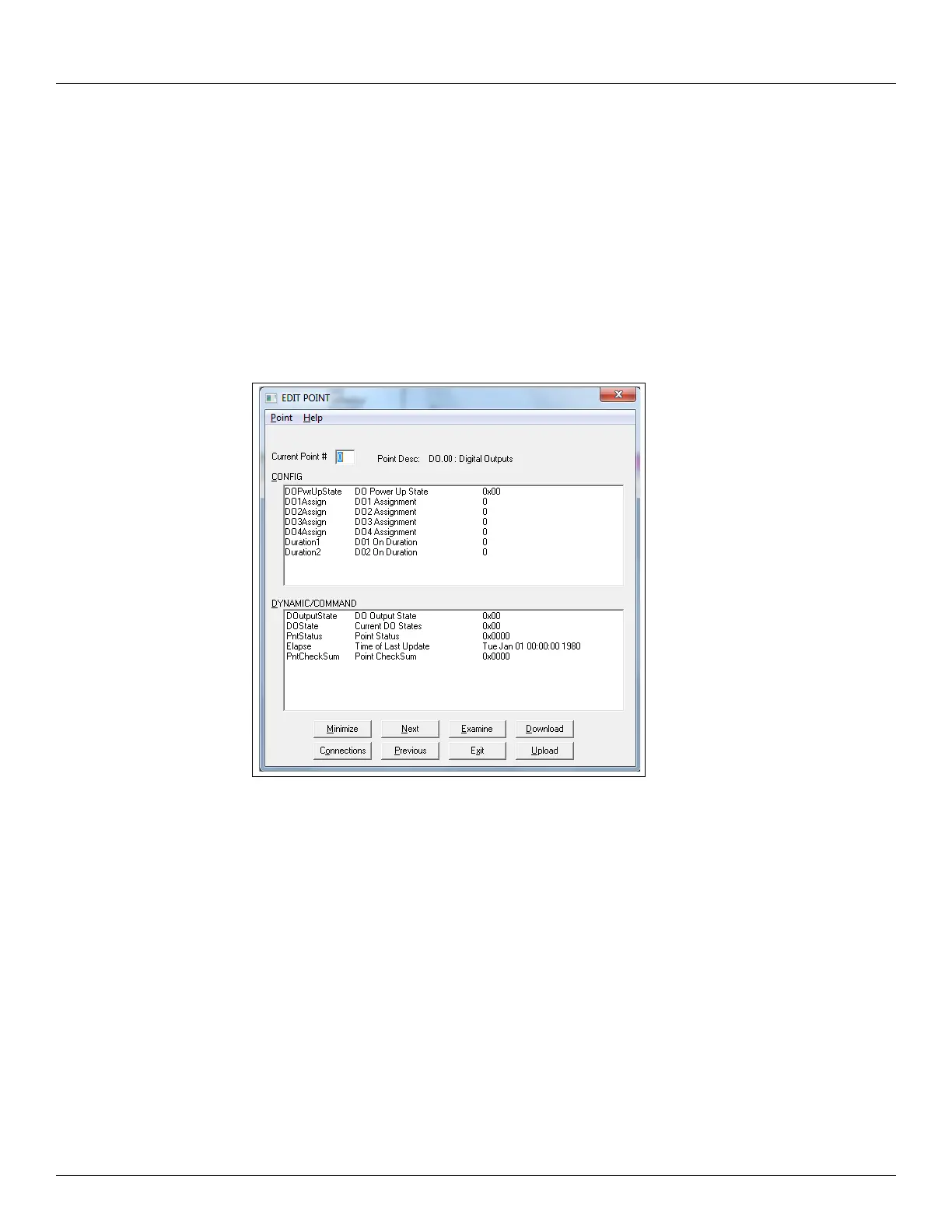
8. Using the icons or the Point menu, select the DO point. The DO dialog box appears, show-
ing data items that can be modified in the following figure.
9. Assign a control & activation event to each direct output by defining parameters DO1As-
sign – D04Assign.
10. To make a relay active at system startup, set the appropriate register in the DOPwrUpState
parameter.
11. Click the Exit button.
12. Close ViewRTU.
13. Disconnect the laptop computer cable from the RS-232 connector.
14. Replace the 2920 FTT cover.



 To Next Page