Page 162 of 244
6.1.3. CEPH Sensor: Dark Calibration
To perform a dark calibration:
1. Run the VAKAP.exe file.
Norm C:\VCaptureSW\Acquisition\CEPH\WideCEPHG\Norm
Fast C:\VCaptureSW\Acquisition\CEPH\WideCEPHG\Fast
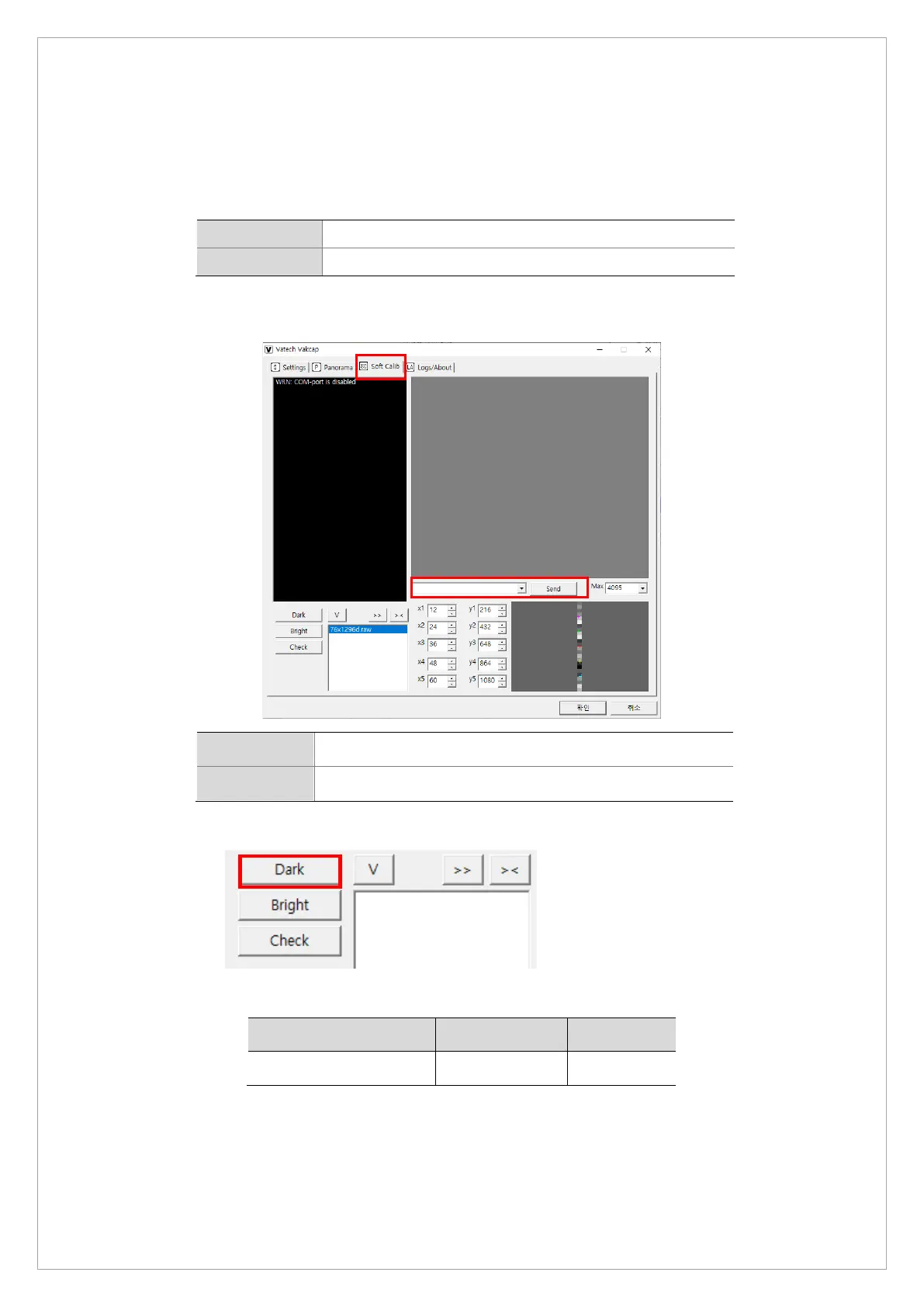
2. On the dialogbox, Select Soft Calib and send the following commands to the command
window to set FPS.
Norm
[SPM_CEPH]→[SPM_HSON]→[SPM_CFRQ_0160]
Fast
[SPM_CEPH]→[SPM_HSON]→[SPM_CFRQ_0313]
3. Click Dark to capture an image.
4. Check if the median value of the capture image meets tha standards below:
Category Min Max
Median value 1000 3000
If the median value falls outside of the standard range, replace your sensor.



 To Next Page