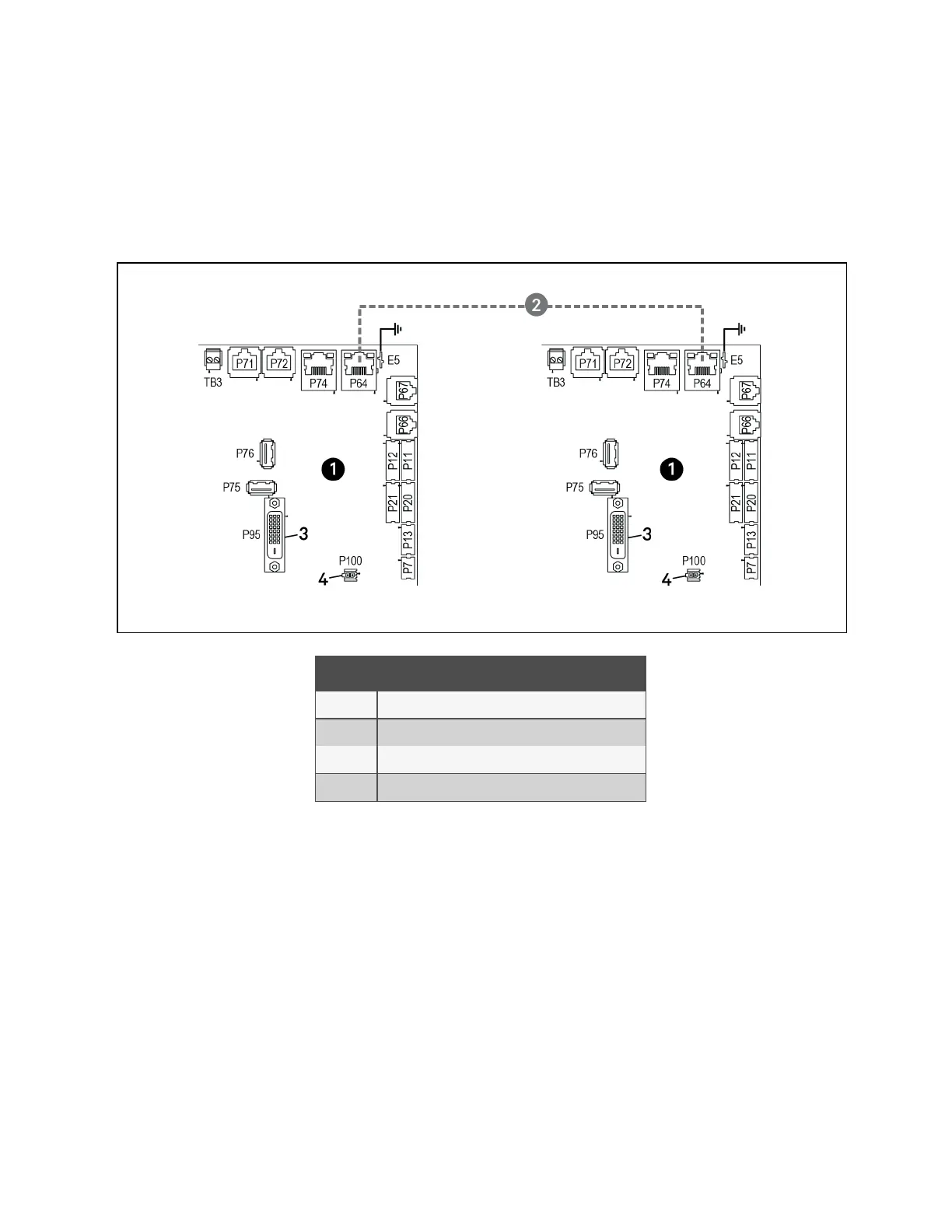
To connect two cooling units with a touchscreen, a network switch is not needed.
• Connect an Ethernet cable to the P64 connector on each Vertiv™ Liebert® iCOM™ control board as shown in
Figure 13.15 below .
Figure 13.15 Connection Between Only Two Cooling Units—No Network Switch Needed
Item Description
1 Liebert® iCOM™ microprocessor and I/O board
2 Ethernet cable (field supplied)
3 P95 DVI-D cable connection to Liebert® iCOM™ display
4 P100, power supply to Liebert® iCOM™ display
13 Vertiv™ Liebert® iCOM™ Hardware Installation
199
Vertiv™ Liebert® iCOM™Installer/User Guide










 To Next Page